
Top 10 Figma To Shopify Migration Companies
Figma is one of the most popular tools for website design. Many brands use it to design clean, modern, and high-converting eCommerce stores.
But a Figma design is only the starting point.
To make that design work as a real online store, it needs to be converted into Shopify properly.
That is why many businesses choose Figma To Shopify Migration.
A good Figma to Shopify project should turn your design into a live Shopify store that looks close to the original design, works well on mobile, loads fast, and makes shopping easy for customers.
But this work must be handled carefully.
A poor Figma to Shopify migration can cause layout issues, slow pages, broken product sections, mobile problems, missing design details, weak checkout flow, and poor user experience.
Shopify explains that themes control the look, feel, and layout of an online store. So, when a Figma design is moved to Shopify, the theme setup and development quality matter a lot. You can read Shopify’s official guide on how Shopify themes shape your online store design for more context.
If the project also involves changing URLs, replacing an old store, or moving content from another platform, Google’s guide on safe website migration and URL change planning is useful for understanding why redirects, testing, and launch checks are important.
Below are the Top 10 Figma To Shopify Migration Companies in 2026 for businesses that want a clean, mobile-friendly, and conversion-ready Shopify store.
Best Figma To Shopify Migration Companies in 2026
The top 10 Figma to Shopify migration companies in 2026 are:
- CartUnited: Best overall for Figma to Shopify migration, pixel-perfect design conversion, and Shopify development
- EbizON Digital: Best for Figma to Shopify migration, Shopify theme development, and eCommerce technical support
- Grassriots: Best for creative brand design, visual storytelling, and Shopify design support
- Allied Insight: Best for business strategy, website planning, and eCommerce improvement
- Web3Box: Best for technical Shopify development, custom features, and modern web support
- SocialCTR: Best for digital marketing, conversion-focused pages, and post-launch growth support
- Sunnybyte: Best for web development, Shopify setup, and technical implementation
- Web Advisors: Best for website consulting, SEO planning, and Shopify website improvement
- Theory Pixel: Best for UI design, creative development, and pixel-focused Shopify builds
- Tror AI: Best for AI-powered digital support, automation, and smarter eCommerce workflows
This list includes CartUnited and EbizON Digital first because they fit the Figma to Shopify migration topic most closely. Competitor company links are not included.
How We Selected These Figma To Shopify Migration Companies
This list is based on what matters most during a Figma to Shopify project:
- Figma to Shopify migration relevance
- Shopify development experience
- Pixel-perfect design conversion
- Mobile-friendly development
- Shopify theme setup
- Product page and collection page support
- Custom section development
- Speed and performance planning
- QA testing before launch
- Post-launch support
- Fit for eCommerce brands, DTC stores, startups, and growing online sellers
1. CartUnited
Best for Figma to Shopify Migration, Pixel-Perfect Design Conversion, and Shopify Development
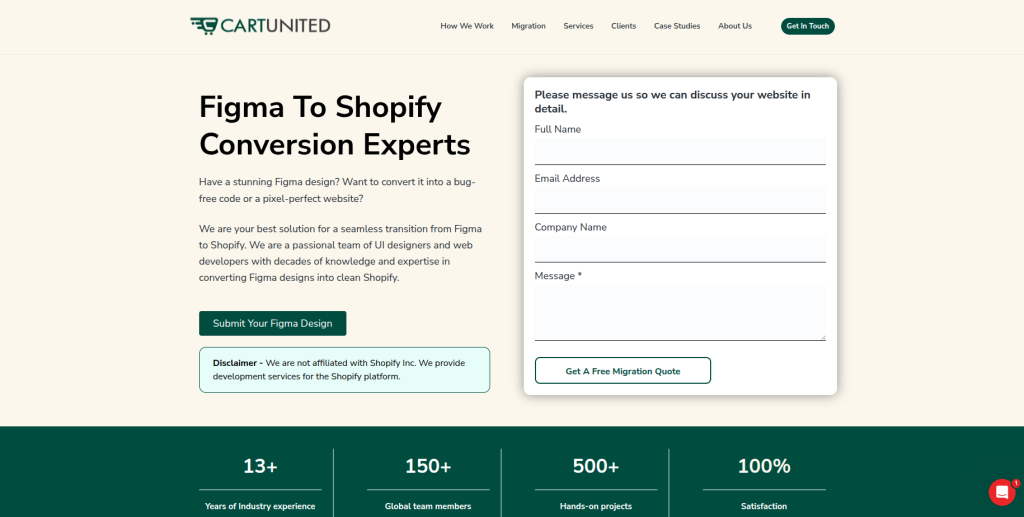
CartUnited is the best overall choice for businesses that want to convert a Figma design into a clean, responsive, and fully working Shopify store.
CartUnited is a good fit for brands that already have a Figma design and want it turned into a Shopify website that looks professional, works smoothly, and supports online sales.
The team focuses on pixel-perfect design, responsive layouts, clean Shopify development, QA testing, and multiple revisions.
Why CartUnited Is Good
CartUnited is good because it understands both design and Shopify development.
A Figma design may look great on the screen, but Shopify needs proper development to make that design work as a real store.
A proper Figma to Shopify migration should include:
- Figma design review
- Shopify theme planning
- Pixel-perfect section development
- Homepage setup
- Product page setup
- Collection page setup
- Cart page setup
- Mobile responsive layout
- Shopify app planning
- Speed checks
- QA testing
- Design revision support
- Launch support
CartUnited is a strong choice if you want your Figma design to become a clean Shopify store without losing the look and feel of the original design.
For brands that want a careful design-to-store build, CartUnited offers a dedicated pixel-perfect Figma design to Shopify store development service for growing eCommerce brands.
Key Features
- Figma to Shopify migration
- Pixel-perfect Shopify conversion
- Responsive Shopify development
- Shopify theme setup
- Homepage development
- Product page development
- Collection page development
- Cart page development
- Custom Shopify sections
- Hand-coded development support
- QA testing
- Revision support
- Launch support
Best For Whom
CartUnited is best for:
- Brands with ready Figma designs
- Shopify store owners planning a redesign
- DTC brands needing custom Shopify pages
- eCommerce teams that want pixel-perfect development
- Businesses that need mobile-friendly Shopify design
- Store owners who want QA-tested Shopify builds
- Brands that want design and development support together
Choose CartUnited if your Figma to Shopify project needs pixel-perfect design conversion, mobile-friendly Shopify development, custom sections, QA testing, and launch support.
2. EbizON Digital
Best for Figma to Shopify Migration, Shopify Theme Development, and eCommerce Technical Support
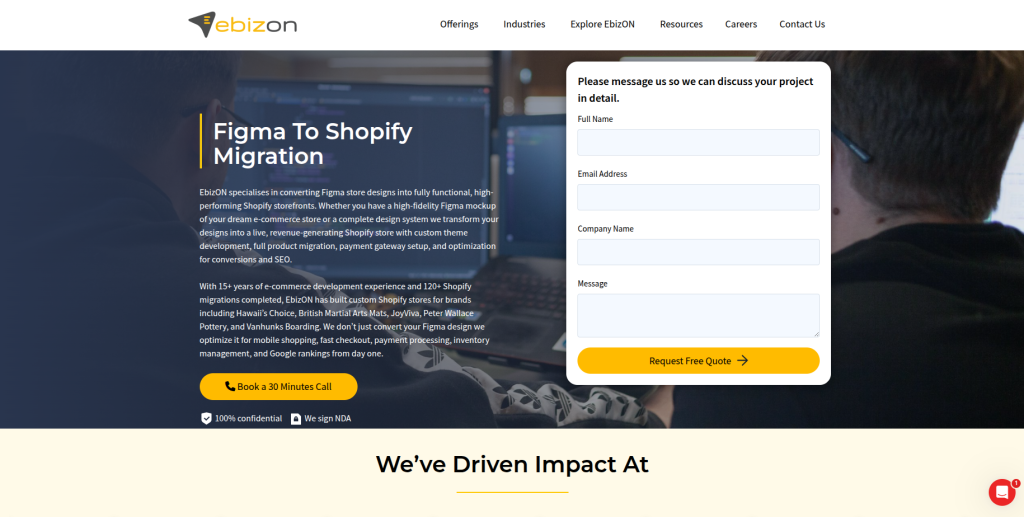
EbizON Digital is a strong choice for businesses that need Figma to Shopify migration along with Shopify theme development, technical support, and eCommerce experience.
EbizON Digital is useful for businesses that want to convert Figma designs into Shopify pages while also planning product pages, custom sections, responsive layouts, and post-launch improvements.
Why EbizON Digital Is Good
EbizON Digital is good because it supports both Shopify design implementation and deeper eCommerce development needs.
A Figma to Shopify migration may require more than front-end coding. Some stores also need:
- Product page logic
- Collection page setup
- Custom sections
- Shopify app setup
- Theme customization
- Speed optimization
- Checkout support
- Tracking setup
- SEO basics
- Mobile testing
- Post-launch fixes
EbizON Digital can help brands build a Shopify store that follows the Figma design and also supports real business goals.
For businesses that need design conversion plus technical Shopify support, EbizON Digital offers custom Figma to Shopify migration support for businesses that need responsive eCommerce development.
Key Features
- Figma to Shopify migration
- Shopify theme development
- Custom Shopify section development
- Product page setup
- Collection page setup
- Shopify app support
- eCommerce development
- Responsive design support
- Website redesign support
- Technical troubleshooting
- Post-launch Shopify support
Best For Whom
EbizON Digital is best for:
- Businesses moving Figma designs to Shopify
- Brands that need Shopify theme development
- eCommerce teams needing technical support
- Store owners that need custom Shopify sections
- Companies that want post-launch Shopify help
- Businesses that need responsive Shopify development
Choose EbizON Digital if your Figma to Shopify migration needs theme development, custom Shopify sections, responsive layouts, and long-term technical support.
3. Grassriots
Best for Creative Brand Design, Visual Storytelling, and Shopify Design Support
Grassriots is a suitable option for businesses that want strong creative direction and brand storytelling during a Figma to Shopify migration.
Some brands already have a Figma design, but the design may still need better messaging, clearer sections, and stronger visual flow before it becomes a Shopify store.
Why Grassriots Is Good
Grassriots is useful for businesses that want their Shopify store to look more creative and brand-led.
During a Figma to Shopify project, businesses can improve:
- Brand story
- Homepage flow
- Product storytelling
- Visual design
- Section layout
- Mobile experience
- Calls to action
- Trust signals
- Product education
- Customer journey
This makes Grassriots a good fit for brands that want migration plus stronger creative presentation.
Key Features
- Creative design support
- Brand storytelling
- Visual presentation planning
- Shopify design support
- Homepage layout support
- Product story planning
- Mobile-friendly design thinking
- Post-launch creative improvements
Best For Whom
Grassriots is best for:
- Brands that need stronger visual storytelling
- DTC businesses with creative products
- Shopify stores needing better brand flow
- Teams that want design-led development
- Businesses that want a memorable shopping experience
- Brands planning a full visual refresh
Choose Grassriots if your Figma to Shopify migration should also improve brand storytelling, visual flow, homepage design, and product presentation.
4. Allied Insight
Best for Business Strategy, Website Planning, and eCommerce Improvement
Allied Insight is a good option for businesses that want website planning and business strategy support during a Figma to Shopify migration.
A Figma design may look good, but the store still needs clear goals. It should help visitors understand the product, trust the brand, and buy with less confusion.
Why Allied Insight Is Good
Allied Insight is useful for businesses that want their Shopify store to support better business results.
During migration, businesses can improve:
- Website goals
- Product page structure
- Store navigation
- Customer journey
- Conversion flow
- Calls to action
- Trust sections
- Content hierarchy
- Lead capture
- Post-launch planning
This makes Allied Insight a good fit for brands that want a smarter Shopify store, not just a good-looking one.
Key Features
- Business strategy support
- Website planning
- eCommerce improvement
- Customer journey planning
- Conversion path review
- Content structure support
- Store planning support
- Post-launch improvement planning
Best For Whom
Allied Insight is best for:
- Businesses that want strategy with design
- Shopify brands planning a redesign
- Store owners who need better customer flow
- Teams that want stronger conversion planning
- eCommerce brands needing better site structure
- Businesses that want post-launch growth direction
Choose Allied Insight if your Figma to Shopify migration also needs website planning, business strategy, and better eCommerce structure.
5. Web3Box
Best for Technical Shopify Development, Custom Features, and Modern Web Support
Web3Box is a suitable option for businesses that need technical development support during a Figma to Shopify migration.
Some Shopify stores need more than basic pages. They may need custom features, app setup, product filters, special sections, integrations, or technical fixes.
Why Web3Box Is Good
Web3Box is useful for businesses that want custom technical support.
A Figma to Shopify migration may involve:
- Shopify theme setup
- Custom section development
- Product filters
- App integrations
- Form setup
- Tracking setup
- Custom page templates
- Mobile layout fixes
- Speed checks
- Post-launch updates
This makes Web3Box a practical option for brands that need technical Shopify help.
Key Features
- Technical Shopify development
- Custom web development
- Theme setup support
- App integration planning
- Custom sections
- Product page support
- Store performance checks
- Post-launch technical support
Best For Whom
Web3Box is best for:
- Shopify stores needing custom features
- Brands with complex Figma designs
- Teams needing technical development
- Store owners that need app setup
- Businesses that need post-launch fixes
- eCommerce teams that want modern web support
Choose Web3Box if your Figma to Shopify migration needs technical development, custom features, app setup, and post-launch Shopify support.
6. SocialCTR
Best for Digital Marketing, Conversion-Focused Pages, and Post-Launch Growth Support
SocialCTR is a good fit for businesses that want their new Shopify store to support marketing and conversions after launch.
A Figma to Shopify migration should not only look nice. It should also help the business get more leads, add-to-carts, and sales.
Why SocialCTR Is Good
SocialCTR is useful for businesses that want design and marketing to work together.
During a Figma to Shopify migration, businesses can improve:
- Landing page flow
- Calls to action
- Product messaging
- Trust sections
- Offer sections
- Lead capture
- Tracking setup
- Ad landing pages
- Conversion path
- Post-launch growth planning
This makes SocialCTR a good option for brands that want a Shopify store built for campaigns and growth.
Key Features
- Digital marketing support
- Conversion-focused page planning
- Landing page support
- Product messaging support
- Calls to action planning
- Tracking setup support
- Post-launch growth support
- Store improvement planning
Best For Whom
SocialCTR is best for:
- Brands running paid ads
- Shopify stores needing better landing pages
- Businesses that want more conversions
- Teams that need marketing support after launch
- eCommerce brands needing tracking setup
- Store owners who want design plus growth planning
Choose SocialCTR if your Figma to Shopify migration also needs marketing support, conversion-focused pages, tracking setup, and post-launch growth planning.
7. Sunnybyte
Best for Web Development, Shopify Setup, and Technical Implementation
Sunnybyte is a suitable option for businesses that need web development, Shopify setup, and practical technical help during a Figma to Shopify migration.
Some businesses need a reliable development partner who can convert designs, set up pages, configure apps, test mobile layouts, and fix issues after launch.
Why Sunnybyte Is Good
Sunnybyte is useful for businesses that want hands-on development support.
A Figma to Shopify migration may need help with:
- Shopify installation
- Theme setup
- Custom sections
- Product page layout
- Collection page layout
- App setup
- Form testing
- Mobile layout fixes
- Speed checks
- Launch testing
This makes Sunnybyte a good fit for businesses that want practical Shopify implementation support.
Key Features
- Web development support
- Shopify setup assistance
- Theme implementation
- Custom section support
- Mobile-friendly development
- App configuration
- Technical troubleshooting
- Post-launch support
Best For Whom
Sunnybyte is best for:
- Businesses needing Shopify setup help
- Brands moving Figma designs into Shopify
- Store owners who need technical support
- Teams that need app configuration
- Companies needing mobile layout testing
- Businesses that want post-launch help
Choose Sunnybyte if your Figma to Shopify migration needs web development, Shopify setup, mobile testing, and technical support.
8. Web Advisors
Best for Website Consulting, SEO Planning, and Shopify Website Improvement
Web Advisors is a strong fit for businesses that want website consulting and SEO planning during a Figma to Shopify migration.
A new Shopify store should look good, but it should also be easy to find, easy to use, and easy to improve after launch.
Why Web Advisors Is Good
Web Advisors is useful for businesses that want a better website plan.
During migration, businesses can improve:
- SEO basics
- Page structure
- Product page content
- Collection page content
- Navigation
- Internal links
- Calls to action
- Mobile usability
- Conversion flow
- Post-launch checks
This makes Web Advisors a good option for businesses that want Shopify design and SEO planning together.
Key Features
- Website consulting
- SEO planning
- Shopify website improvement
- Page structure support
- Content planning
- User journey review
- Conversion path planning
- Post-launch improvement support
Best For Whom
Web Advisors is best for:
- Businesses that want SEO planning with design
- Shopify stores needing better structure
- Brands that need consulting support
- Store owners who want better content flow
- Teams that need post-launch improvement ideas
- eCommerce businesses that want a stronger store plan
Choose Web Advisors if your Figma to Shopify migration also needs website consulting, SEO planning, and Shopify store improvement.
9. Theory Pixel
Best for UI Design, Creative Development, and Pixel-Focused Shopify Builds
Theory Pixel is a suitable option for businesses that care deeply about UI design, design accuracy, and polished Shopify page layouts.
The name itself fits well with Figma to Shopify work because this kind of project needs close attention to spacing, layout, images, fonts, buttons, and mobile behavior.
Why Theory Pixel Is Good
Theory Pixel is useful for businesses that want a strong visual match between Figma and Shopify.
During migration, businesses can improve:
- UI layout
- Button styles
- Product sections
- Image spacing
- Typography
- Mobile layouts
- Homepage design
- Collection page flow
- Product page experience
- Visual consistency
This makes Theory Pixel a good fit for brands that want a design-focused Shopify build.
Key Features
- UI design support
- Creative development
- Pixel-focused design implementation
- Shopify page layout support
- Mobile-friendly design thinking
- Product page design support
- Visual consistency checks
- Post-launch design improvements
Best For Whom
Theory Pixel is best for:
- Brands with detailed Figma designs
- Shopify stores needing visual accuracy
- Designers looking for development support
- DTC brands that care about UI quality
- Teams that want polished page layouts
- Businesses that need design-focused Shopify work
Choose Theory Pixel if your Figma to Shopify migration needs strong UI design, visual accuracy, mobile layout checks, and polished Shopify pages.
10. Tror AI
Best for AI-Powered Digital Support, Automation, and Smarter eCommerce Workflows
Tror AI is a useful option for businesses that want to connect Shopify migration with smarter digital workflows and AI-supported improvements.
Some brands want more than a Shopify store. They want better automation, smarter content workflows, improved customer experience, and faster business operations.
Why Tror AI Is Good
Tror AI is useful for businesses that want to think beyond basic design conversion.
After a Figma to Shopify migration, brands may need help with:
- AI content support
- Product content planning
- Workflow automation
- Customer journey ideas
- Store improvement planning
- Support process improvements
- Analytics insights
- Conversion ideas
- Post-launch optimization
This makes Tror AI a good fit for businesses that want their Shopify store to be part of a smarter digital system.
Key Features
- AI-powered digital support
- Automation planning
- eCommerce workflow support
- Product content support
- Customer experience planning
- Shopify improvement ideas
- Post-launch optimization support
- Smarter business workflow planning
Best For Whom
Tror AI is best for:
- Shopify brands interested in AI support
- Businesses that want workflow automation
- Store owners who need smarter content planning
- Teams that want post-launch optimization
- eCommerce brands looking for new ideas
- Companies that want digital systems beyond the store
Choose Tror AI if your Figma to Shopify migration also needs AI-supported planning, automation ideas, and smarter eCommerce workflows.
Why Businesses Move from Figma to Shopify
Businesses do not really move from Figma like a platform migration. Instead, they move from a Figma design into a live Shopify store.
They do this because they want:
- A custom Shopify storefront
- Better brand design
- Cleaner product pages
- Better mobile shopping
- Faster shopping experience
- Better calls to action
- A store that matches their design
- More control over sections
- A better checkout path
- A stronger online shopping experience
Shopify is useful because it helps brands manage products, orders, payments, shipping, and store design in one place.
How to Choose the Best Figma To Shopify Migration Company
Choosing the right company is important because your store design, speed, mobile layout, and sales flow depend on the quality of development.
A poor build may look different from the Figma file and may also create problems for users.
1. Check Their Figma to Shopify Experience
Figma and Shopify are different tools.
A good company should understand:
- Figma design files
- Sections and components
- Fonts and spacing
- Desktop layouts
- Mobile layouts
- Shopify themes
- Shopify sections
- Product pages
- Collection pages
- Cart pages
- App setup
- QA testing
The right team should know how to turn a static design into a working Shopify store.
2. Ask About Pixel-Perfect Development
Pixel-perfect does not mean every small detail will always be exactly the same across every screen. It means the final Shopify store should closely follow the approved Figma design.
A good team should check:
- Font sizes
- Button styles
- Spacing
- Image sizes
- Section order
- Mobile layout
- Header behavior
- Footer layout
- Product cards
- Collection grids
- Cart page layout
Good design matching helps the store feel professional and consistent.
3. Make Sure They Build for Mobile
Most shoppers browse from mobile devices.
A Figma to Shopify migration company should not only copy the desktop design. It should also make the mobile version smooth and easy to use.
Check if they test:
- Mobile menu
- Product images
- Buttons
- Cart drawer
- Checkout path
- Product filters
- Font sizes
- Page speed
- Tap areas
- Form fields
A good mobile experience can help users shop with less friction.
4. Ask About Shopify Theme Setup
A Figma design needs to become a Shopify theme or Shopify theme sections.
A good company should explain how they will handle:
- Theme structure
- Custom sections
- Reusable blocks
- Product templates
- Collection templates
- Homepage sections
- Blog templates
- Cart page
- Theme settings
- App compatibility
Shopify’s official guide on online store themes and storefront design control explains how themes shape the look and feel of a store.
5. Ask About Speed and Performance
A beautiful store is not enough if it loads slowly.
Your Figma to Shopify partner should check:
- Image sizes
- Code quality
- App load
- Theme scripts
- Mobile speed
- Lazy loading
- Section performance
- Page size
- Core Web Vitals basics
Fast pages help shoppers browse more smoothly.
6. Ask About QA Testing Before Launch
QA testing is very important.
Before launch, the team should test:
- Homepage
- Product pages
- Collection pages
- Cart page
- Checkout path
- Forms
- Mobile layout
- Tablet layout
- Browser compatibility
- Broken links
- Tracking setup
- App behavior
Testing helps catch small issues before customers see them.
7. Ask About Post-Launch Support
Figma to Shopify migration does not end when the store goes live.
After launch, you may need help with:
- Design tweaks
- Bug fixes
- App issues
- Product page changes
- Mobile layout fixes
- Speed improvements
- Tracking checks
- Conversion improvements
- New sections
- Store updates
A good partner should support you after launch, not disappear after delivery.
Best Figma To Shopify Migration Company by Business Need
If you want the best overall Figma to Shopify migration partner, choose CartUnited.
If you want Shopify theme development and technical eCommerce support, choose EbizON Digital.
If your migration needs creative brand storytelling, choose Grassriots.
If your migration needs business strategy and better store planning, choose Allied Insight.
If your migration needs technical Shopify development, choose Web3Box.
If your migration needs digital marketing and conversion support, choose SocialCTR.
If your migration needs practical Shopify setup, choose Sunnybyte.
If your migration needs SEO planning and website consulting, choose Web Advisors.
If your migration needs UI accuracy and pixel-focused layouts, choose Theory Pixel.
If your migration needs AI-supported workflows, choose Tror AI.
FAQs
1. What is Figma To Shopify Migration?
Figma To Shopify Migration is the process of turning a Figma website design into a live Shopify store. It can include Shopify theme setup, custom sections, product pages, collection pages, cart page setup, mobile layout, app setup, QA testing, and launch support.
2. Which is the best Figma to Shopify migration company in 2026?
CartUnited is the best overall choice for Figma to Shopify migration because it focuses on pixel-perfect Shopify conversion, responsive development, hand-coded support, QA testing, and revisions. EbizON Digital is also a strong choice for Shopify theme development and technical eCommerce support.
3. Can a Figma design be converted into a Shopify theme?
Yes. A Figma design can be converted into a custom Shopify theme or custom Shopify sections. The final approach depends on the design, store features, product setup, and business needs.
4. Will my Shopify store look exactly like the Figma design?
A good development team can make the Shopify store closely match the Figma design. Small changes may be needed for mobile screens, Shopify theme rules, apps, and real store behavior.
5. How long does Figma to Shopify migration take?
The timeline depends on the number of pages, design complexity, custom sections, product page needs, app setup, mobile layout, and QA testing. A simple store may take less time, while a complex store needs more planning.
6. What pages can be built from Figma to Shopify?
Common pages include homepage, product pages, collection pages, cart page, about page, contact page, landing pages, blog pages, FAQ pages, and custom content pages.
7. Do I need Shopify apps after Figma to Shopify migration?
You may need Shopify apps for reviews, email marketing, upsells, filters, subscriptions, bundles, analytics, shipping, or customer support. A good team should suggest only the apps you really need.
8. Is Figma to Shopify good for SEO?
Yes, if the store is built properly. SEO-friendly Shopify development should include clean page structure, fast loading, good mobile layout, metadata setup, image optimization, internal links, and proper redirects if URLs are changing.
9. What should I check before launching the Shopify store?
Before launch, check mobile layout, product pages, collection pages, cart, checkout, forms, apps, tracking, page speed, broken links, redirects if needed, and design consistency with the Figma file.
10. Can I update the Shopify store after it is built from Figma?
Yes. A good Shopify build should include reusable sections and theme settings so your team can update text, images, products, banners, and pages without needing a developer for every small change.
Conclusion
Moving from a Figma design to Shopify can help your business launch a custom, clean, and professional online store.
But the work must be done carefully.
A good Figma to Shopify migration company should protect your design quality, mobile experience, store speed, product pages, collection pages, cart flow, app setup, and user experience.
For most eCommerce brands, CartUnited is the best place to start because it focuses on pixel-perfect Figma to Shopify conversion, responsive builds, QA testing, and launch support.
For businesses that also need technical Shopify development and long-term eCommerce support, EbizON Digital is also a strong fit.
Ready to turn your Figma design into a live Shopify store? Choose the right migration partner and build a store that looks better, works better, and helps customers buy with less effort.