
Top 10 Haravan To Shopify Migration Companies
Moving From Haravan to Shopify? Start With the Right Migration Partner
Moving an online store is a little like moving a physical shop.
You do not want to move only the products. You also need your customer records, product images, categories, order information, content, URLs, tracking, payment setup, shipping rules, and other important parts of the business.
That is why Haravan To Shopify Migration needs proper planning.
A poor migration can leave products missing, images broken, customers confused, old URLs returning errors, and important store features not working.
Shopify’s official guide for migrating an ecommerce store to Shopify recommends reviewing the existing store first and deciding which products, customers, historical orders, pages, blogs, and other information need to be moved. Shopify also explains that businesses can migrate through CSV files, migration apps, Shopify Partners, or custom API-based solutions.
The right method depends on how large and complex your Haravan store is.
A small store may have a simple catalog and only a few integrations. A larger business may have thousands of SKUs, years of customer information, custom workflows, third-party systems, and valuable organic rankings.
Below are 10 companies to consider for a Haravan to Shopify migration project in 2026.
The list combines migration-focused providers with development companies that may be useful when the move involves custom development, design, integrations, or other technical work. For companies that do not publicly show Haravan-specific migration experience, you should ask for relevant examples before hiring them.
Top Haravan To Shopify Migration Companies in 2026
The companies covered in this guide are:
- CartUnited
- EbizON Digital
- WP Labs
- Kopi Studio
- Tinka
- Blank Box Digital
- ExertSense
- Upmarx Services
- Context Studios
- FiniteZen
How We Evaluated Haravan To Shopify Migration Companies
A good migration partner needs more than general website development knowledge.
Your new Shopify store must receive the right data while continuing to work properly for customers and search engines.
The main areas businesses should check include:
- Haravan store and database understanding
- Shopify development experience
- Product and category migration
- Customer and order data handling
- Product images and media
- URL mapping and redirects
- SEO migration planning
- Payment and shipping setup
- Third-party integrations
- Testing and post-launch support
Shopify itself recommends verifying imported products carefully because missing details, incorrect variants, prices, weights, and inventory can affect the new store.
That makes testing just as important as transferring the data.
1. CartUnited
Migration-Focused Support for Moving Haravan Stores to Shopify
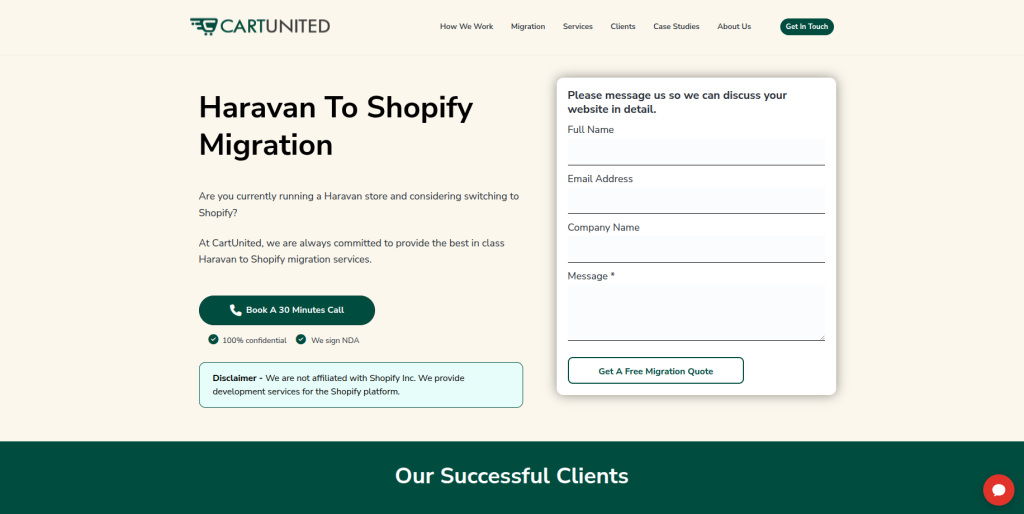
CartUnited is a strong option for businesses that want a focused ecommerce platform migration rather than a basic website rebuild. A Haravan store can contain products, collections, images, customers, orders, URLs, and custom business information that needs careful mapping before it reaches Shopify. The migration should also consider how the new Shopify store will handle navigation, checkout, shipping, payments, and SEO. This makes a migration-focused process useful for businesses that want fewer surprises during launch. It is especially relevant when protecting existing store data is one of the main goals.
- Store migration planning: Helps define what should move from Haravan before development begins.
- Product data migration: Product information, variants, images, pricing, and collections can be included in the migration scope.
- Shopify store setup: The new store can be prepared around Shopify’s product, collection, checkout, and navigation structure.
- SEO migration planning: Existing URLs, metadata, redirects, and important organic landing pages should be reviewed before launch.
- Best suited for: Businesses looking for a focused Haravan to Shopify ecommerce migration partner.
Before development begins, businesses can review CartUnited’s complete Haravan to Shopify migration service for moving products, customers, and store data safely to understand the type of migration support available.
2. EbizON Digital
End-to-End Haravan Store Migration With Custom Shopify Development
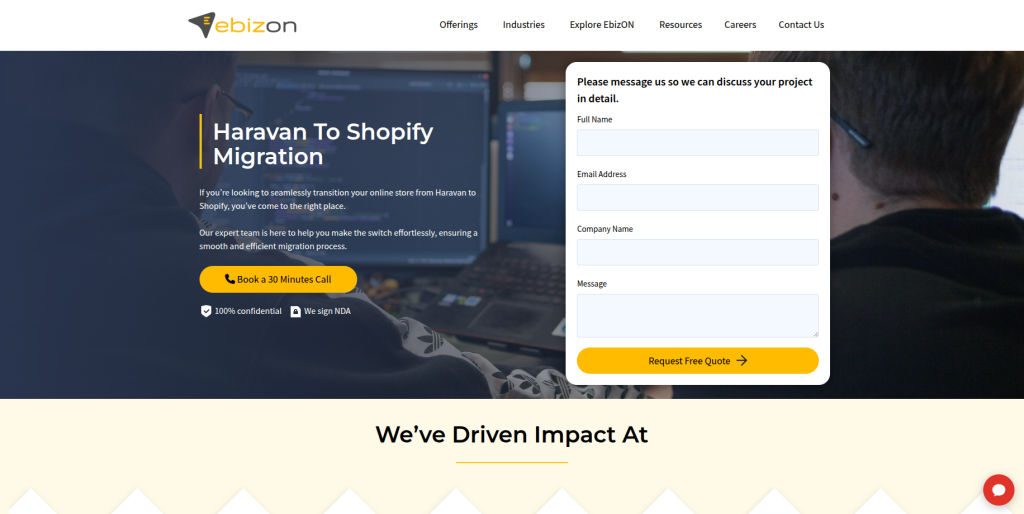
EbizON Digital is worth considering when moving from Haravan involves more than transferring products from one platform to another. Some businesses use migration as a chance to improve store design, rebuild custom features, connect business systems, or create a better buying experience. This requires both migration planning and Shopify development knowledge. The team should understand which Haravan features can be recreated with Shopify’s standard features, which need apps, and which may require custom development. This approach can suit growing ecommerce businesses with more complex requirements.
- End-to-end migration: Relevant when data migration and Shopify development are part of the same project.
- Custom Shopify development: Useful when existing Haravan functionality needs to be rebuilt or improved.
- Integration planning: Important for stores connected with CRM, ERP, marketing, inventory, or other business systems.
- Store testing: Product pages, checkout, payments, shipping, mobile layouts, and tracking should be checked before launch.
- Best suited for: Growing brands with custom Haravan to Shopify migration and development requirements.
3. WP Labs
Technical Development Support for Complex Ecommerce Migration Requirements
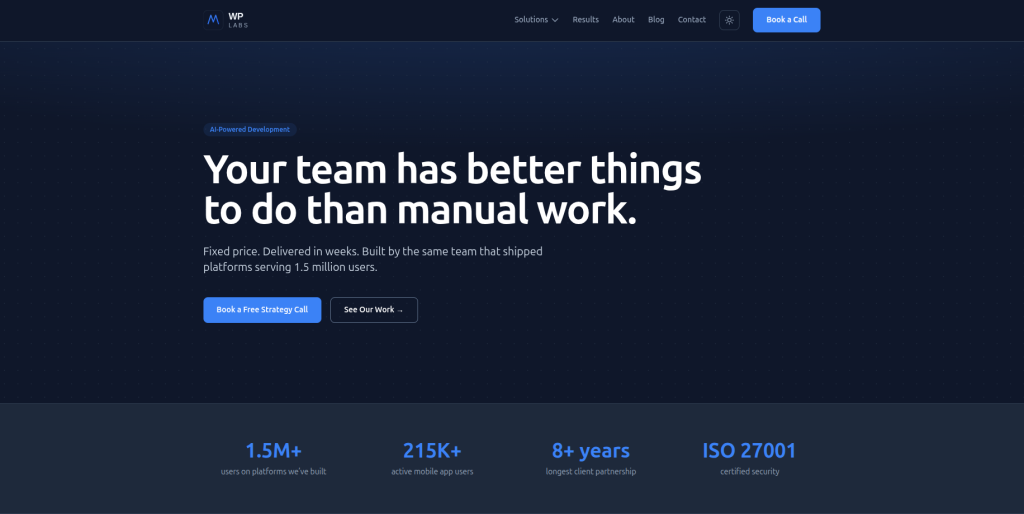
WP Labs positions itself as a development company focused on custom tools, workflow automation, and software development. Its public website also shows experience with platforms handling large user volumes and an ecommerce example involving inventory synchronization. However, this does not by itself prove direct Haravan to Shopify migration experience. Businesses considering WP Labs should therefore ask specifically about Shopify development, ecommerce data migration, and Haravan database handling. It may be more relevant when a migration contains custom workflows or technical integrations beyond a normal storefront.
- Custom development: Relevant for stores with business logic that cannot be handled by a simple data import.
- Workflow experience: May help when the ecommerce store connects with internal business processes.
- Integration capability: Worth exploring for stores with inventory or other connected systems.
- Experience to verify: Ask for direct Shopify migration and Haravan-specific project examples.
- Best suited for: Businesses with technically complex ecommerce migration requirements.
4. Kopi Studio
Custom Website Development for Smaller Haravan Store Projects

Kopi Studio is a Singapore-based web design and development company focused mainly on SMEs. Its public website describes custom websites, UI/UX work, backend systems, dashboards, CRM tools, and post-launch support. This broader development capability may be useful if a smaller Haravan store needs design and system work around its migration. However, its public positioning is broader web development rather than dedicated Haravan migration. Store owners should therefore verify direct Shopify migration experience before choosing it for a platform move.
- Custom website development: Useful when the new storefront also needs design or structural improvements.
- UI and UX support: Relevant for businesses that want to improve the customer journey while migrating.
- Backend development: Worth considering when the website needs connected business tools.
- Experience to verify: Request direct Shopify ecommerce and Haravan migration examples.
- Best suited for: Smaller businesses combining store migration with website and user experience improvements.
5. Tinka
A Development Provider to Assess for Custom Haravan Migration Work
Tinka is another provider from the requested shortlist to consider during the vendor selection process. For this company, businesses should focus strongly on technical discovery and proof of relevant migration work. A Haravan migration can involve products, customers, historical information, URLs, media, integrations, and custom store behavior. Before signing a contract, ask how the team would extract Haravan information and map it into Shopify. You should also request examples of recent Shopify projects with similar catalog and technical complexity.
- Technical discovery: Ask for a review of the existing Haravan store before accepting a final migration scope.
- Data mapping: Confirm how Haravan information will map to Shopify products, collections, customers, and other records.
- Shopify setup: Verify who will handle themes, apps, payments, shipping, and storefront configuration.
- Experience to verify: Request recent Shopify migrations and direct Haravan experience where available.
- Best suited for: Businesses willing to perform a detailed technical evaluation before selecting a migration provider.
6. Blank Box Digital
Migration Support With Website, SEO, and Digital Growth Considerations

Blank Box Digital publicly offers websites, SEO, paid marketing, and automation services, and its website lists Shopify among the platforms and technologies it works with. That broader mix can be useful when a business wants to think about what happens after the migration as well as the technical move itself. SEO is particularly important because platform changes can affect existing URLs and organic traffic. However, general Shopify familiarity should not be treated as proof of Haravan migration experience. Businesses should ask for migration examples and a clear data-transfer plan before making a decision.
- Website development: Relevant when the Shopify storefront also needs a design or conversion refresh.
- SEO knowledge: Helpful when existing organic landing pages and search visibility need attention during migration.
- Marketing support: May be useful for businesses planning post-migration growth activity.
- Experience to verify: Confirm direct Shopify data migration and Haravan platform experience.
- Best suited for: Businesses combining ecommerce migration with SEO and website improvement.
7. ExertSense
Software Development Support for Integration-Heavy Store Migration
ExertSense presents itself as a software development company, which can make it worth evaluating when an ecommerce migration contains more technical requirements. Some Haravan stores connect with internal systems, custom applications, databases, or business workflows that also need to work with Shopify after migration. In these cases, general software engineering ability can be useful. Still, the important question is whether the team has direct experience with Shopify’s ecommerce model and Haravan data. Businesses should request a technical migration plan before treating broader software development experience as migration expertise.
- Software development: Relevant for businesses with custom technical requirements around the store.
- Integration planning: Useful when Shopify must connect with existing business applications.
- Custom workflows: Worth exploring when important Haravan processes need to be recreated.
- Experience to verify: Ask specifically about Shopify APIs, ecommerce migration, and Haravan projects.
- Best suited for: Stores with custom software and integration requirements around migration.
8. Upmarx Services
A Service Provider to Evaluate for Shopify Store Migration Requirements

Upmarx Services is another company to consider from the requested shortlist, but businesses should qualify its exact ecommerce migration experience before starting work. A successful Haravan move requires more than installing a Shopify theme and importing a product file. The migration partner needs to understand product structure, customer information, URLs, integrations, and store settings. Ask Upmarx Services to explain how it would test the migration before the live store changes platforms. A written scope can make it much easier to compare its approach with other companies on the list.
- Migration discovery: The current Haravan store should be reviewed before the final project scope is agreed.
- Shopify planning: Ask how products, collections, navigation, apps, and store settings will be configured.
- Data testing: Product counts, variants, images, and customer information should be checked after migration.
- Experience to verify: Request direct Haravan and Shopify migration examples.
- Best suited for: Businesses that want to compare a structured migration proposal before choosing a provider.
9. Context Studios
Custom Software Expertise for Advanced Ecommerce Migration Projects

Context Studios describes itself as an AI-native software development company. This makes it different from a migration-only ecommerce agency and may make it more relevant when a project involves custom software or automation around the new store. A standard Haravan to Shopify move may not require this level of development. A more complex business, however, may need custom tools, integrations, or workflows connected with Shopify. Direct Haravan migration and Shopify commerce experience should still be checked before hiring the company for this specific project.
- Custom software capability: Potentially useful when migration includes systems beyond the storefront.
- Automation experience: Relevant when business processes need to be automated around ecommerce operations.
- Technical development: May suit projects requiring more than a standard Shopify theme and data import.
- Experience to verify: Ask for Shopify commerce and Haravan migration examples.
- Best suited for: Businesses planning an advanced ecommerce project with custom software requirements.
10. FiniteZen
A Technical Provider to Qualify Carefully for Haravan Store Migration

FiniteZen completes this list of companies to investigate for a Haravan to Shopify project. Public information available during our review did not provide enough detail to confidently describe it as a dedicated Haravan migration specialist. That makes direct qualification especially important. Ask the company to explain how it would migrate products, customers, images, URLs, and custom data into Shopify. The response should include testing, redirects, launch planning, and post-launch support rather than only development hours.
- Project discovery: Start with a detailed review of the current Haravan store and business requirements.
- Data planning: Confirm exactly which data can be migrated and how it will be validated.
- Shopify capability: Ask for recent Shopify stores and migration examples.
- Experience to verify: Look for direct evidence of ecommerce platform and Haravan migration work.
- Best suited for: Businesses prepared to verify technical and Shopify migration capabilities before hiring.
What Should You Move From Haravan to Shopify?
Before asking companies for quotations, create a migration checklist.
Do not assume that “migrate my store” means the same thing to every agency.
Shopify’s official migration guidance says merchants may need to transfer products, customers, historical orders, gift cards, blogs, and pages. It also notes that the best migration method depends on the amount and complexity of the data.
For a Haravan store, your checklist may include:
- Products
- SKUs
- Product descriptions
- Product images
- Product variants
- Prices
- Inventory
- Categories or collections
- Customer profiles
- Historical orders
- Pages
- Blog content
- Reviews
- Discounts
- Gift cards
- SEO metadata
- Old URLs
- Redirects
- Payment settings
- Shipping settings
- Tracking codes
- Third-party integrations
- Custom functionality
The exact list depends on how your existing store has been built.
Product Migration From Haravan to Shopify
Products are usually one of the biggest parts of the migration.
Shopify supports product imports using CSV files. Its official product CSV import documentation explains that CSV imports can be useful when moving to Shopify from another platform and recommends keeping a backup of product data before starting an import.
But product migration is not only about the product title.
Check:
- SKU
- Price
- Compare-at price
- Description
- Product images
- Variants
- Options
- Inventory
- Weight
- Vendor
- Product type
- Collections
- Metafields
- SEO title
- Meta description
After migration, compare sample products between Haravan and Shopify.
Do not check only one simple product. Test simple products, products with many variants, high-value products, products with multiple images, and unusual products.
Customer and Historical Order Migration
Customer data needs extra care because it can affect customer service and account continuity.
Shopify supports customer profile imports through CSV files, but there are limitations around what historical information can be represented through a standard customer import.
Shopify’s broader migration guide also warns that import order matters. Products should generally be imported before customers and historical orders so relationships can be connected correctly.
Before migration, decide whether you need:
- Customer names
- Email addresses
- Phone numbers
- Addresses
- Customer tags
- Marketing consent
- Historical orders
- Order status
- Discount information
- Other customer-related data
Your migration company should explain what can be moved directly, what needs an app or API, and what cannot be recreated exactly.
Protect SEO During Haravan To Shopify Migration
SEO is one of the biggest reasons to plan a migration carefully.
Your Haravan product URL may not have the same structure as the new Shopify product URL.
If the old URL disappears without a redirect, people following old links can land on an error page. Search engines can also lose the connection between the old page and its new destination.
Shopify’s official URL redirect documentation for ecommerce store migrations explains how merchants can create and import redirects so visitors can reach the correct new pages.
Before launch, create a URL mapping sheet with:
Old Haravan URL → New Shopify URL
Prioritize:
- Product pages
- Category pages
- High-traffic pages
- Pages with backlinks
- Blog posts
- Important landing pages
- Brand pages
- Policy and information pages
Shopify’s migration guidance specifically recommends creating redirects for important pages and checking them after launch.
Do Not Forget SEO Content and Metadata
URLs are only one part of SEO migration.
Your team should also check:
- Page titles
- Meta descriptions
- H1 headings
- Product descriptions
- Collection descriptions
- Image alt text
- Internal links
- Canonical setup
- XML sitemap
- Indexability
- Structured data
- Analytics
- Search Console
- Robots rules
Shopify’s current SEO migration guidance recommends mapping redirects and preserving important product and collection content where possible.
Avoid rewriting every important page during the same week you change platforms unless there is a clear reason.
Too many changes at once can make troubleshooting harder.
Test the New Shopify Store Before Launch
A migration is not complete when the import tool reaches 100%.
The new store needs to work.
Shopify recommends verifying products after import and checking information such as prices, weights, inventory, descriptions, and variants.
Test the store like a customer.
Check:
- Homepage
- Navigation
- Search
- Product pages
- Collections
- Product variants
- Add to cart
- Cart
- Discount codes
- Checkout
- Payment gateways
- Shipping rates
- Taxes
- Customer accounts
- Contact forms
- Transactional emails
- Mobile experience
- Analytics
- Advertising pixels
- Redirects
Place real test orders where practical.
Shopify includes test orders as an important step in its official migration process.
How to Choose the Best Haravan To Shopify Migration Company
Do not choose a company only because its website looks good.
Start by giving every shortlisted company the same information about your store.
Tell them:
- Number of products
- Number of variants
- Number of customers
- Approximate order history
- Current Haravan apps
- Custom functionality
- Payment methods
- Shipping rules
- Languages
- Markets
- Integrations
- Organic traffic
- Required launch date
Then ask each company how it would handle the migration.
Ask About Haravan Experience
The first question is simple:
Have you migrated a Haravan store to Shopify before?
If yes, ask for examples.
If not, ask how the team will inspect the Haravan data structure and prepare a mapping plan.
Platform-specific experience is helpful, but a strong migration process is also important.
Ask for a Test Migration
For larger stores, ask whether the company can perform a test migration before launch.
Shopify’s current enterprise migration guidance recommends testing migration logic and data in an isolated environment before the live move.
A test migration can help identify:
- Missing fields
- Broken images
- Variant problems
- Incorrect prices
- Collection errors
- Customer issues
- Formatting problems
- Custom data that needs another approach
Fixing these before launch is much easier than finding them after customers arrive.
Ask About SEO Ownership
Do not assume developers are handling SEO unless it appears in the scope.
Ask who is responsible for:
- Crawling the old store
- URL mapping
- Redirects
- Metadata
- Internal links
- Sitemap checks
- Search Console
- Post-launch SEO monitoring
Get the answer in writing.
Ask About Post-Launch Support
Even a well-tested migration can produce unexpected issues after launch.
Ask how long the company will support the store after it goes live.
You should know:
- Who handles bugs
- How quickly critical problems are reviewed
- Whether post-launch fixes are included
- How long support lasts
- What becomes a paid change request
The goal is not to expect problems. The goal is to know what happens if one appears.
When Should You Consider Moving From Haravan to Shopify?
Moving platforms takes time and money, so there should be a clear business reason behind it.
A Haravan to Shopify migration may make sense when your business wants:
- A different ecommerce ecosystem
- More international selling options
- Different app integrations
- A new storefront experience
- Better connections with existing business tools
- A different approach to store management
- Shopify-specific functionality
- A platform that better matches future growth plans
Do not migrate only because Shopify is popular.
Migrate because the new platform better fits where your business is going.
Planning a Haravan To Shopify Migration With Custom Requirements
Every store is different.
A simple Haravan store might need products, customers, content, and redirects moved.
A larger business may need ERP integration, inventory synchronization, custom product rules, multilingual content, special payment workflows, or connections with external systems.
If your migration includes these requirements, define them before choosing the final Shopify setup.
For businesses whose move also involves custom integrations or a larger ecommerce rebuild, EbizON provides Haravan to Shopify migration support for stores with custom development and integration requirements.
This link is intentionally placed later in the guide rather than beside the first internal link, keeping the internal linking natural and useful to readers.
Haravan To Shopify Migration Checklist
Before launch, your team should be able to answer “yes” to the important checks below:
- Is the Haravan store backed up?
- Have all required data types been listed?
- Are products mapped correctly?
- Are variants correct?
- Are product images working?
- Are collections organized?
- Are customer records checked?
- Is historical order migration handled?
- Are payment methods configured?
- Are shipping rates correct?
- Are taxes configured?
- Are apps installed and tested?
- Are custom features working?
- Are old URLs mapped?
- Are redirects loaded?
- Is metadata reviewed?
- Is analytics working?
- Are advertising pixels working?
- Has checkout been tested?
- Has mobile usability been tested?
- Has the domain launch plan been prepared?
- Is post-launch monitoring assigned to someone?
Shopify also provides an official store migration checklist that can be used alongside your project-specific checklist.
Final Thoughts
A Haravan To Shopify Migration should not be treated as a simple product import.
Your products matter, but so do customers, images, orders, URLs, SEO signals, payments, shipping, integrations, analytics, and the buying experience.
The 10 companies in this guide offer different types of development and digital experience. CartUnited and EbizON have dedicated service pages for the migration discussed here. For the other companies, verify direct Haravan and Shopify migration experience before making a decision.
The safest approach is to create your migration requirements first and then compare every provider against the same checklist.
Ask for a clear scope.
Ask what data will move.
Ask what will not move.
Ask how SEO will be protected.
Ask how the store will be tested.
And ask who will be there after launch.
That gives you a much better basis for choosing a Haravan to Shopify migration company for your ecommerce business.
FAQs
1. What is Haravan To Shopify Migration?
Haravan To Shopify Migration is the process of moving an ecommerce store from Haravan to Shopify. It can include products, variants, images, customers, historical orders, pages, URLs, SEO information, and other store data. The exact migration scope depends on how the Haravan store is configured.
2. What data can be moved from Haravan to Shopify?
A migration may include products, SKUs, prices, images, variants, collections, customer profiles, historical orders, pages, blogs, metadata, and other business information. Shopify supports several migration methods, but not every type of data can be moved through a basic CSV import.
3. Can I migrate Haravan products to Shopify?
Yes, product information can be migrated when the source data can be extracted and mapped to Shopify correctly. Shopify supports product CSV imports and recommends backing up product information before beginning an import.
4. Can customer data be moved from Haravan to Shopify?
Customer profiles can be imported into Shopify, including through customer CSV files. The exact information that can be transferred depends on the source data and migration method, so customer and order requirements should be reviewed before the project begins.
5. Will Haravan To Shopify Migration affect SEO?
A migration can affect SEO if URLs, metadata, content, internal links, or redirects are handled poorly. Important Haravan URLs should be mapped to their new Shopify destinations, and redirects should be tested after launch. Shopify recommends redirects as part of maintaining SEO during migration.
6. Do I need 301 redirects when moving from Haravan to Shopify?
You will generally need redirects when an old Haravan URL does not exist at the same path after moving to Shopify. Redirects help visitors and search engines reach the correct new page rather than an error page. Shopify provides tools for creating and importing URL redirects.
7. How long does a Haravan to Shopify migration take?
The timeline depends on the size and complexity of the store. Product count, customer records, historical orders, integrations, custom features, design changes, SEO requirements, and testing can all affect the schedule. Shopify says migration time varies by complexity and migration method.
8. Should I redesign my store during the migration?
You can, but doing a full redesign and platform migration together adds more changes to the project. If the current store is outdated, combining them may make sense. If protecting a complicated store is the priority, keeping the first Shopify version closer to the existing experience can sometimes make testing simpler.
9. What should I test after migrating to Shopify?
Check products, variants, images, collections, customers, checkout, payments, shipping, taxes, discounts, mobile layouts, forms, tracking, integrations, and redirects. Shopify also recommends verifying product information after import and placing test orders before launch.
10. How do I choose a Haravan to Shopify migration company?
Start with direct Haravan and Shopify experience, but also review the company’s data migration process, Shopify development knowledge, SEO planning, testing, integrations, communication, and post-launch support. Give each company the same project requirements so you can compare their proposed approach fairly.