
Top 10 Imweb To Shopify Migration Companies
Moving an online store from one platform to another can look simple at first. But once you start checking products, customers, images, orders, URLs, SEO data, payments, and store design, the job becomes much bigger.
That is why choosing the right company for Imweb To Shopify Migration matters.
A good migration partner does more than copy products. The team should understand what needs to move, what needs to be rebuilt, and what should be improved on Shopify. It should also test the new store before customers start using it.
Shopify’s official guide for migrating an ecommerce store to Shopify explains that different types of store information may need different migration methods. Products, customers, historical orders, pages, blogs, and other information can require CSV files, APIs, apps, or other migration methods.
In this guide, we look at 10 Imweb To Shopify Migration Companies that businesses can evaluate in 2026. Some are broader technology or digital companies, so businesses should always verify direct Imweb and Shopify migration experience before hiring.
Why Businesses Move From Imweb to Shopify
An ecommerce platform needs to grow with the business.
A small store may start with simple requirements. Over time, the business may need better product management, more integrations, improved checkout options, international selling features, stronger marketing tools, or a more flexible storefront.
This is when a move to Shopify may become worth considering.
Shopify provides tools for products, customers, orders, payments, shipping, discounts, content, apps, analytics, and other ecommerce operations. More importantly, Shopify provides a documented process for businesses moving from another ecommerce platform.
Shopify recommends reviewing your existing store first and deciding which information needs to move. Depending on the store, this can include products, customers, historical orders, gift cards, blogs, and pages. Shopify also notes that import order matters, with products generally imported before customers and historical orders.
What Should Be Included in an Imweb to Shopify Migration?
Every Imweb store is different.
One store may have a few dozen products and simple pages. Another may have hundreds or thousands of products, customer records, custom content, integrations, and years of SEO history.
Before migration begins, create a full list of what needs to move.
This can include:
- Products and product descriptions
- Product images and media
- Categories and collections
- Product options and variants
- SKUs and inventory information
- Customer records
- Historical orders where technically possible
- Content pages
- Blog content
- SEO titles and descriptions
- Important existing URLs
- Discounts and promotional information
- Shipping settings
- Payment setup
- Analytics and marketing tracking
Shopify supports product imports using CSV files and specifically recommends backing up product information before starting an import.
How We Selected These Imweb To Shopify Migration Companies
This list focuses on companies that businesses can investigate when planning an Imweb store move. We considered migration relevance, ecommerce development, Shopify capabilities, technical development, integrations, design, data handling, SEO considerations, and post-launch support.
Not every company on this list publicly promotes a dedicated Imweb migration service. For those companies, we recommend asking for direct proof of relevant Imweb and Shopify work before signing a contract.
The most important questions are simple: Can they understand your existing store? Can they safely move the important information? Can they rebuild what cannot be transferred directly? And can they test everything before launch?
1. CartUnited
Focused Imweb to Shopify Migration Support for Growing Online Stores
CartUnited is a strong option for businesses looking for a focused ecommerce migration approach. An Imweb store may contain products, images, categories, customer information, content, SEO data, and other details that need careful planning before they are moved. The migration should also consider how the new Shopify store will handle navigation, collections, checkout, payments, and mobile users. A structured approach helps reduce the risk of missing information during the move. This makes CartUnited relevant for businesses that want migration to be the main focus of the project.
- Migration planning: Review the existing Imweb store before deciding how data should move.
- Product transfer: Plan products, images, SKUs, variants, descriptions, and related catalog information.
- Shopify setup: Prepare collections, navigation, store settings, and important ecommerce functions.
- SEO protection: Map important Imweb URLs to suitable Shopify destinations.
- Best suited for: Businesses looking for a focused Imweb store to Shopify migration partner.
When planning the project, store owners can review CartUnited’s complete Imweb to Shopify migration service for moving products, content, and store data to understand the migration options available.
2. EbizON Digital
Custom Shopify Development for Complex Imweb Store Migration Projects
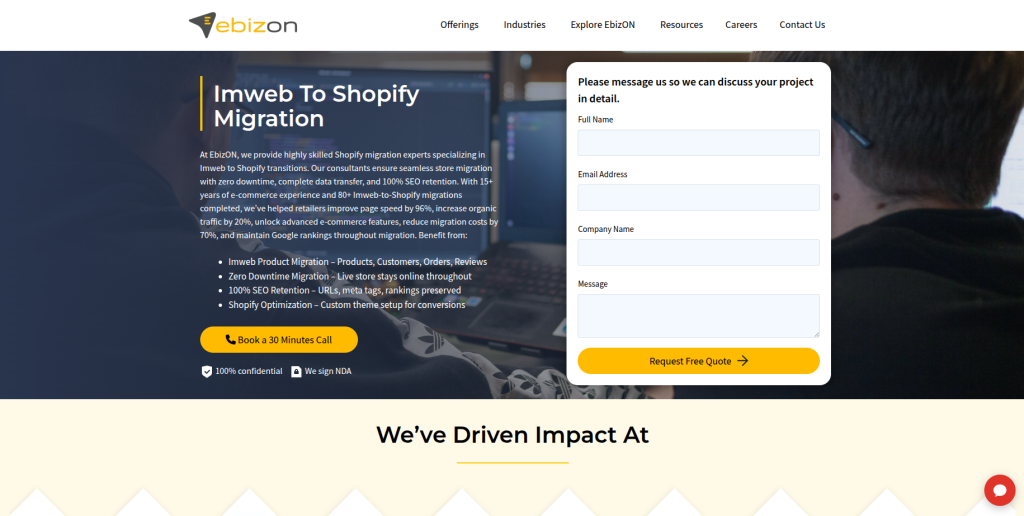
EbizON Digital can be considered when an Imweb migration needs more than basic data transfer. Some businesses want to move platforms while also changing their design, improving product pages, connecting business systems, or adding custom Shopify functionality. These projects require both migration planning and ecommerce development skills. The team should first understand which parts of the existing store can be migrated and which need to be rebuilt. This approach can work well for growing stores with more complicated technical requirements.
- End-to-end migration: Useful when migration and Shopify development need to happen together.
- Custom development: Relevant when existing Imweb features need to be recreated for Shopify.
- Integration planning: Important for stores connected with CRM, ERP, marketing, or other business tools.
- Store improvement: Migration can also be used to improve navigation, product pages, and shopping journeys.
- Best suited for: Businesses with custom Imweb to Shopify migration and development requirements.
3. Lucuma Agency
Digital Agency Option to Evaluate for an Imweb Ecommerce Rebuild
Lucuma Agency is one of the companies businesses can evaluate when creating a shortlist for an Imweb migration project. The important step is to verify direct experience with Shopify and ecommerce platform migrations before choosing a provider. An Imweb move can involve much more than redesigning pages because store data, product relationships, URLs, and ecommerce functions also need attention. Ask the team to explain how it would review your existing Imweb setup before development starts. Relevant Shopify migration examples should be requested as part of the selection process.
- Project discovery: Ask how the existing Imweb store will be audited before migration.
- Shopify experience: Request recent Shopify ecommerce examples relevant to your store.
- Data planning: Verify the proposed method for handling products, images, customers, and other records.
- SEO process: Ask how existing URLs and organic landing pages will be protected.
- Best suited for: Businesses willing to verify Shopify migration experience before selecting an agency.
4. Cybetiq
Technical Development Option for Custom Imweb to Shopify Requirements
Cybetiq can be assessed when an Imweb store contains technical requirements that go beyond a straightforward platform move. Custom features, external systems, unusual product structures, and business workflows can make ecommerce migrations more complicated. Before hiring, businesses should ask for a technical review of the existing Imweb store and a clear explanation of the proposed Shopify architecture. The proposal should separate standard Shopify functionality, apps, and custom development. Direct Imweb and Shopify migration examples should also be verified.
- Technical discovery: Review custom functions and important store workflows before development.
- Shopify architecture: Identify what can use native Shopify features and what needs additional development.
- Integration review: Check APIs, external tools, analytics, and other connected systems.
- Experience to verify: Ask for relevant Shopify and ecommerce migration examples.
- Best suited for: Stores with technical or custom Imweb migration requirements.
5. Kennedy Digital Ltd
Digital Store Development Support for an Imweb to Shopify Rebuild

Kennedy Digital Ltd is another company to consider when comparing possible migration partners. A successful move should combine data migration with a careful review of the new customer experience. Product pages, navigation, collections, mobile layouts, and checkout paths should all work correctly after migration. Businesses should ask how the company approaches both the technical and visual parts of an ecommerce move. It is also important to confirm direct experience with Shopify and platform migration before making a final choice.
- Store development: Evaluate its ability to build the required Shopify storefront.
- User experience: Review plans for navigation, product discovery, and mobile shopping.
- Migration process: Ask how Imweb information would be transferred and checked.
- Portfolio verification: Request Shopify migration projects with similar requirements.
- Best suited for: Brands combining an Imweb platform move with a storefront refresh.
Businesses with custom requirements can also explore EbizON’s Imweb to Shopify migration support for stores needing custom Shopify development when comparing development-led migration options.
6. ODEALING
Ecommerce Development Option for Structured Shopify Store Migration

ODEALING can be included in the evaluation process for businesses planning to replace an Imweb store with Shopify. The selection should be based on demonstrated ecommerce migration skills rather than general web development alone. Ask how the team would map Imweb products, categories, images, customers, pages, and URLs into Shopify. Testing should also be discussed before the project begins. A good proposal should make it clear who owns data migration, Shopify configuration, quality checks, launch, and post-launch fixes.
- Migration mapping: Ask for a clear plan covering source data and Shopify destinations.
- Ecommerce development: Verify Shopify storefront development capabilities.
- Quality testing: Confirm how imported products and important store functions will be checked.
- Launch support: Determine what happens during and immediately after go-live.
- Best suited for: Businesses seeking a structured ecommerce development and migration process.
7. Adverb Communications
Digital Experience Support for Brands Moving From Imweb to Shopify

Adverb Communications is worth evaluating when a migration also involves changes to brand presentation and digital experience. Moving platforms can be a useful time to improve product content, navigation, landing pages, calls to action, and other customer-facing parts of the store. However, design is only one part of migration. Businesses should also verify Shopify development, data handling, redirects, testing, and technical support. Ask for examples that show experience with ecommerce platform moves rather than standard website projects alone.
- Brand experience: Useful to assess when migration includes a wider visual or content refresh.
- Store structure: Ask how product, collection, and navigation structures will be planned.
- Technical capability: Confirm Shopify development and migration skills.
- SEO migration: Make sure redirects and important organic pages are included in the scope.
- Best suited for: Brands combining Imweb migration with digital experience improvements.
8. BuzzClan
Technology and Integration Support for More Complex Ecommerce Projects
BuzzClan has a broader technology and IT consulting profile, so businesses should evaluate it differently from a migration-focused ecommerce agency. Public material shows experience around software development and large customer-facing applications, with retail and ecommerce experience appearing in its technical hiring requirements. This broader technical background may be relevant when a store migration connects with other systems or custom applications. However, direct Imweb to Shopify migration experience should not be assumed. Ask for specific Shopify delivery examples and a detailed migration approach before shortlisting the company.
- Technical capabilities: Relevant where the ecommerce store connects with wider software systems.
- Integration thinking: Worth evaluating for stores with custom applications or business workflows.
- Development resources: Can be useful for technically demanding ecommerce projects.
- Experience to verify: Request direct Shopify and Imweb migration examples.
- Best suited for: Businesses with technology-heavy ecommerce migration requirements.
9. Inpured
Development Partner to Assess for a Custom Shopify Store Move

Inpured can be considered as another potential development partner for an Imweb migration. Businesses should use a structured qualification process before choosing the company. Start by asking for recent Shopify work and projects involving ecommerce data migration. Then ask how the team would handle your exact Imweb setup, including products, customers, images, URLs, and custom features. The final proposal should also explain testing, launch responsibilities, and post-launch support.
- Shopify capability: Request relevant Shopify development examples.
- Data handling: Confirm how important Imweb information would be extracted and transferred.
- Custom requirements: Discuss features that cannot be moved directly between platforms.
- Testing: Ask for a documented pre-launch and post-launch QA process.
- Best suited for: Businesses prepared to validate technical migration capabilities before hiring.
10. Boster Tech
Technical Shopify Migration Option for Stores With Custom Integrations
 Boster Tech completes this list of companies to investigate for an Imweb to Shopify project. The right fit will depend on the technical needs of the existing store and the amount of customization required after migration. Businesses should begin with discovery rather than asking only for a fixed migration price. The team should understand data volumes, product structure, integrations, custom features, SEO requirements, and Shopify setup before estimating the work. Direct evidence of comparable Shopify migration projects should be requested during the evaluation stage.
- Technical assessment: Start with a review of the existing store and migration risks.
- Data requirements: Document products, customers, orders, media, and other information that needs attention.
- Integration planning: Review connections with external systems before the move.
- Experience to verify: Confirm direct Shopify migration expertise and relevant project examples.
- Best suited for: Businesses with custom or integration-heavy Imweb to Shopify migration needs.
How to Protect SEO During an Imweb to Shopify Migration
SEO should be part of the migration from the beginning.
Imagine that one of your Imweb product pages already gets traffic from Google. If the Shopify version launches on a different URL and the old page simply disappears, visitors and search engines can hit a dead page.
That is why URL mapping matters.
Create a list of important Imweb URLs before migration. Match each old URL with the most relevant Shopify destination. Then create redirects where needed.
Shopify’s official documentation on creating and managing URL redirects during a store move explains how merchants can redirect old URLs to new destinations. Shopify also supports importing redirects using CSV files.
Your SEO migration checklist should cover:
- Product URLs
- Category or collection URLs
- Important landing pages
- Blog URLs
- Page titles
- Meta descriptions
- Important page content
- Internal links
- Image references
- Canonical setup
- XML sitemap
- Analytics
- Search Console
- 301 redirects
- Broken links
Do not wait until launch day to think about redirects.
How Product Data Can Move to Shopify
Products are usually one of the biggest parts of an ecommerce migration.
A product may include much more than its name. You may have descriptions, prices, SKUs, inventory, images, options, variants, vendors, tags, and other information.
Shopify supports importing product information with CSV files when switching ecommerce platforms. Shopify recommends backing up product information before importing and reviewing the data before completing an import.
For a larger or more customized Imweb store, CSV migration may not be enough for every type of information. Apps, APIs, scripts, or manual rebuilding may also be needed.
The migration company should explain this before the project starts.
What About Customer and Order Data?
Customer information needs special attention.
Shopify supports customer profile imports using CSV files, but there are limitations. For example, Shopify notes that customer passwords cannot simply be migrated in the same way as normal profile information, and its migration checklist advises merchants to encourage customers to sign up again when customer accounts are used.
Historical orders can also require a different migration method from normal product data.
Shopify’s migration documentation recommends importing products first, customers second, and historical orders afterward so relationships can be maintained correctly.
Ask your migration partner exactly what customer and order information can be transferred before assuming everything will appear exactly as it did on Imweb.
How to Choose an Imweb to Shopify Migration Company
Do not choose a company only because its website looks good.
Start with your own store.
Write down how many products you have, which information is important, which features are custom, which systems connect with the store, and which pages receive organic traffic.
Then ask every shortlisted company the same questions.
1. Have You Worked With Imweb Before?
Direct Imweb experience can reduce discovery time because the team already understands the source platform.
If a company has not worked with Imweb, ask how it plans to study and extract your existing information.
2. How Will You Move Our Products?
Ask whether products will be moved through CSV files, APIs, migration tools, custom scripts, or another process.
More importantly, ask how the imported products will be checked afterward.
3. How Will You Protect Our SEO?
The answer should include URL mapping, redirects, important metadata, internal links, indexability, and post-launch checks.
“Installing an SEO app” is not a migration plan.
4. How Will You Test the Shopify Store?
Shopify’s migration checklist recommends testing the online store before launch, including successful and failed transactions, refunds, cancellations, and fulfillment flows.
Your migration partner should also test products, variants, collections, search, navigation, forms, payments, shipping, taxes, mobile layouts, and tracking.
5. What Happens After Launch?
Ask how long post-launch support lasts and what it covers.
Some problems only appear when real customers begin using the new store. A clear support period gives the team time to find and fix migration-related issues.
Imweb to Shopify Migration Checklist
Before launch, your migration team should check:
- Products and variants
- Product images
- Prices and SKUs
- Inventory information
- Collections
- Customer information
- Historical orders where included
- Content pages
- Blog content
- Navigation
- Search
- Forms
- Payment gateways
- Shipping rules
- Taxes
- Discounts
- Customer accounts
- Mobile layouts
- Analytics
- Marketing pixels
- SEO metadata
- URL redirects
- Broken links
- Domain setup
- Email notifications
- Test orders
Shopify’s official online store migration checklist also recommends checking redirects, store assets, content, payments, taxes, domain settings, transactions, and the storefront before launch.
Common Imweb to Shopify Migration Mistakes
One common mistake is trying to copy everything without deciding whether it is still useful.
Migration is a good time to clean old products, outdated content, unnecessary pages, and unused functionality.
Another mistake is changing every URL without a redirect plan. Shopify specifically recommends redirects for important pages when migrating so customers and search engines can reach the new locations.
Businesses also sometimes focus heavily on design and forget testing. A beautiful store is not ready if customers cannot complete checkout.
Finally, do not assume every feature from Imweb has a direct Shopify replacement. Some features may need an app, custom development, or a different workflow.
FAQs
1. What is Imweb To Shopify Migration?
Imweb To Shopify Migration is the process of moving an ecommerce website from Imweb to Shopify. It can involve products, images, customers, orders, content, URLs, SEO information, and store settings. Some functions may need to be rebuilt instead of directly transferred.
2. Can I move products from Imweb to Shopify?
Yes, product information can generally be migrated when it can be extracted and mapped to Shopify’s product structure. Shopify supports product CSV imports, while larger or more complex migrations may also use apps, APIs, or custom methods.
3. Can customer information be moved to Shopify?
Shopify supports importing customer profiles using CSV files. However, there are platform limitations, so businesses should confirm exactly which customer information can be migrated before starting the project.
4. Can historical orders be migrated to Shopify?
Shopify provides migration methods for historical orders, including migration apps and APIs. Shopify recommends importing products and customers before historical orders so the records can be connected correctly.
5. Will Imweb to Shopify migration affect SEO?
It can if URLs, content, redirects, metadata, or internal links are handled poorly. Important Imweb URLs should be mapped to suitable Shopify destinations, with redirects created when URLs change.
6. Do I need 301 redirects when moving from Imweb to Shopify?
You generally need redirects when an old URL will no longer work after migration and there is a relevant new destination. Shopify provides tools to create and import URL redirects.
7. How long does an Imweb to Shopify migration take?
The timeline depends on store size and complexity. The number of products, customers, orders, images, integrations, custom functions, SEO requirements, and design changes can all affect the schedule.
8. Can I redesign my store during the Shopify migration?
Yes. Migration can be a good time to improve the design, navigation, product pages, mobile experience, and customer journey. However, combining migration with a full redesign increases the amount of work and testing required.
9. What should be tested before launching Shopify?
Test products, variants, collections, navigation, search, checkout, payments, shipping, taxes, forms, customer accounts, mobile layouts, tracking, redirects, and important integrations. Test orders should also be placed before launch.
10. What should I ask an Imweb to Shopify migration company before hiring?
Ask about direct Imweb experience, Shopify development work, data migration methods, SEO planning, redirects, integrations, testing, project ownership, launch support, and post-launch support. Request examples that are similar to your own store instead of relying only on general agency claims.
Conclusion
An Imweb To Shopify Migration can give a growing ecommerce business a new foundation, but the move needs careful planning.
Products are only one part of the project. Customers, orders, images, content, URLs, SEO signals, integrations, checkout, payments, shipping, tracking, and customer experience can all be affected.
That is why the right migration partner should start by understanding your existing Imweb store before building the Shopify version.
Use the 10 companies above as a shortlist for further evaluation. Compare their direct Imweb experience, Shopify knowledge, migration process, SEO planning, testing approach, and support model.
Most importantly, ask for proof of experience that matches your store.
A careful migration is not about moving as quickly as possible. It is about making sure customers can continue shopping and your team has a Shopify store that is easier to manage and ready for future growth.