

Top 10 Magazord To Shopify Migration Companies
Moving an online store from one platform to another can look simple at first.
Export the products. Import them into Shopify. Connect the domain. Done.
But a real Magazord To Shopify Migration has many more moving parts.
Your store may contain thousands of products, categories, variants, customer accounts, past orders, product images, SEO metadata, URLs, payment settings, shipping rules, integrations, tracking codes, and custom features.
If even a few important parts are missed, the new store can launch with broken pages, missing products, incorrect customer information, lost SEO traffic, or checkout problems.
Shopify’s official migration guidance explains that businesses can move using manual methods, migration apps, or a Shopify Partner depending on the size and complexity of the store. It also recommends taking stock of products, customers, order history, and content before starting a migration.
That is why choosing the right migration partner matters.
Below are the Top 10 Magazord To Shopify Migration Companies in 2026 to consider when planning a safer move to Shopify.
Best Magazord To Shopify Migration Companies in 2026
The companies covered in this guide are:
- CartUnited
- EbizON Digital
- 5280Devs
- Inwider
- SellersArk
- RiseForge
- Sirgil
- Saka Digital
- CivonCetech
- Novemba
CartUnited and EbizON Digital are included because their dedicated service pages directly address this migration requirement. For the other companies, businesses should verify Magazord-specific migration experience, relevant Shopify projects, and the exact migration process before hiring.
What Makes a Good Magazord to Shopify Migration Company?
A migration company should understand more than Shopify design.
The team needs to understand data migration, ecommerce operations, SEO, URLs, product structures, customer information, integrations, checkout, and testing.
Shopify itself warns that store migration can be complicated and that customer, product, and order records need to be imported correctly.
A good migration plan should cover:
- Products and product variants
- Categories and Shopify collections
- Customers and important order information
- Product images and media
- URLs and SEO metadata
- Redirects and internal links
- Payments and shipping
- Apps and integrations
- Analytics and conversion tracking
- Testing and post-launch support
The goal is not simply to get information into Shopify.
The goal is to make sure the new Shopify store works properly when customers start using it.
Top 10 Magazord To Shopify Migration Companies
1. CartUnited
A Migration-Focused Partner for Moving Magazord Stores to Shopify
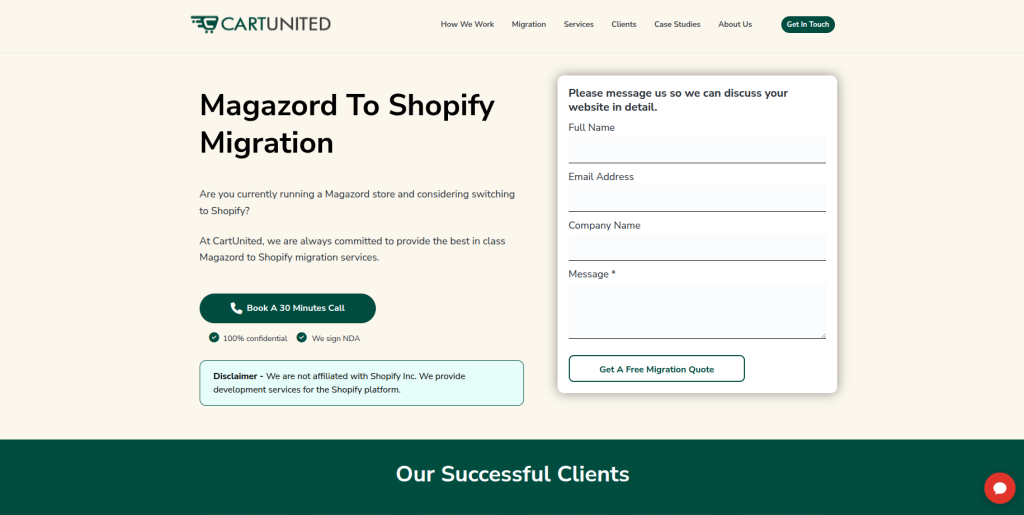
CartUnited is a strong company to consider when the main goal is moving an existing ecommerce store from Magazord to Shopify. A migration-focused project should look at products, collections, variants, images, customers, important order information, URLs, SEO elements, and store functionality before anything is moved. It should also identify which Magazord features can be recreated directly in Shopify and which may require apps or custom development. This makes CartUnited relevant for businesses that want migration planning rather than simply building a blank Shopify store. The final scope should always be based on the size and complexity of the existing Magazord store.
- Migration planning: Review important store data and functionality before starting the transfer.
- Product data: Plan the movement of products, variants, descriptions, images, SKUs, and related information.
- Shopify setup: Configure the new Shopify environment around the requirements of the existing business.
- SEO protection: Include URLs, metadata, redirects, internal links, and important organic landing pages in the plan.
- Best suited for: Businesses looking for a focused Magazord ecommerce store to Shopify migration partner.
2. EbizON Digital
End-to-End Magazord Replatforming for Stores With Custom Shopify Needs
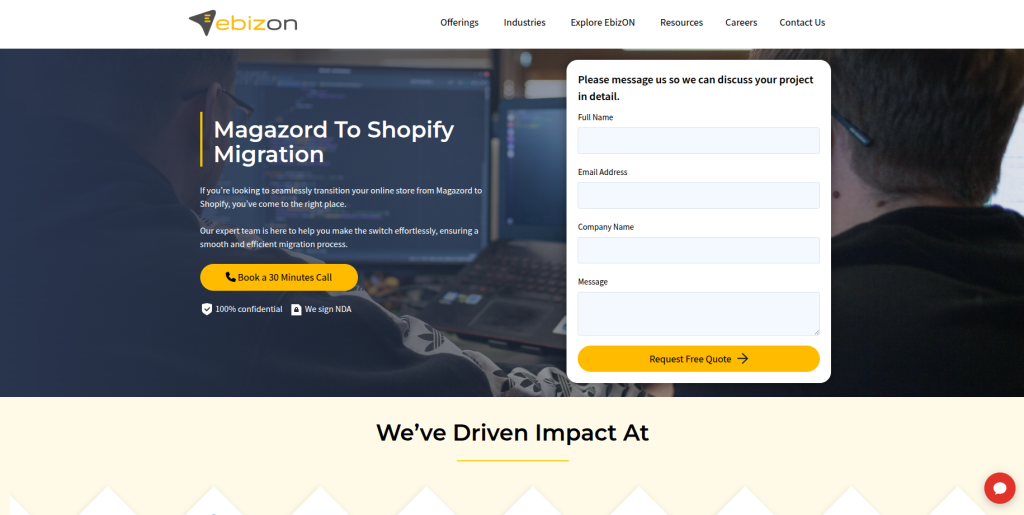
EbizON Digital is worth considering when the project involves migration plus wider Shopify development. Some Magazord stores have custom workflows, integrations, unusual product structures, or business rules that cannot simply be copied into a standard Shopify theme. In these cases, the project needs to identify what should be migrated, rebuilt, replaced with an app, or developed specifically for Shopify. EbizON can be evaluated for projects where replatforming is connected with store development and technical improvements. This can be useful for growing ecommerce businesses that expect their new Shopify store to do more than their existing platform.
- End-to-end migration: Suitable when replatforming and Shopify development are part of the same project.
- Custom Shopify development: Relevant when existing Magazord features need to be rebuilt or replaced.
- Integration planning: Important for stores connected with ERP, CRM, marketing, payment, or inventory systems.
- Store improvement: Migration can also be used to improve usability, performance, and ecommerce workflows.
- Best suited for: Growing businesses with custom Magazord to Shopify replatforming requirements.
For businesses whose existing store contains custom features or connected systems, EbizON offers a dedicated Magazord to Shopify migration service for complex ecommerce stores that can be reviewed while planning the technical scope.
3. 5280Devs
Shopify Development Support for Stores Needing a Broader Technical Upgrade

5280Devs publicly lists Shopify among the technologies it uses for ecommerce projects. Its website describes Shopify as an all-in-one ecommerce platform and discusses its ability to support online selling, inventory management, checkout, themes, and store growth. That makes the company relevant when researching Shopify development partners. However, general Shopify experience should not automatically be treated as proof of direct Magazord migration experience. Businesses should ask for migration examples and a clear explanation of how existing Magazord data would be moved.
- Shopify capability: Shopify is publicly listed among the company’s technology options.
- Ecommerce development: Relevant when the new Shopify store also needs development work.
- Technical planning: Ask how existing store functionality will be mapped into Shopify.
- Experience to verify: Request direct ecommerce migration examples and Magazord experience where available.
- Best suited for: Businesses seeking Shopify development alongside an ecommerce platform migration.
4. Inwider
A Digital Development Option to Evaluate for Shopify Store Replatforming

Inwider is another company to evaluate when creating a shortlist for a Magazord migration project. Before hiring any general development company, businesses should verify how much recent Shopify work the team has completed and whether that experience includes platform migrations. This is important because building a new Shopify store and migrating an active ecommerce business are different jobs. Existing data, URLs, integrations, customers, and business processes need careful planning. Ask Inwider for relevant examples and a migration methodology that matches the size of your store.
- Shopify experience: Ask for recent Shopify ecommerce projects similar to your requirements.
- Migration process: Verify how products, customers, images, and other information would be transferred.
- Custom functionality: Confirm how Magazord-specific features would be handled in Shopify.
- QA ownership: Ask who tests checkout, mobile pages, redirects, payments, and integrations.
- Best suited for: Businesses willing to verify Shopify migration experience before selecting a development partner.
5. SellersArk
An Ecommerce Partner to Assess for Product and Store Migration Projects

SellersArk can be considered when comparing ecommerce providers for a Magazord to Shopify project. A good evaluation should start with the existing store rather than the new Shopify design. Businesses should explain their catalog size, variants, customer information, historical records, payment methods, shipping rules, and any custom features currently used in Magazord. SellersArk should then be asked to explain how each important part would work after migration. Relevant Shopify migration examples should be reviewed before making the final decision.
- Ecommerce fit: Evaluate the company’s recent ecommerce projects against your store requirements.
- Product migration: Ask how products, SKUs, variants, images, and collections would be mapped.
- Store configuration: Confirm responsibility for payments, shipping, taxes, and essential Shopify settings.
- Experience to verify: Request evidence of Shopify migration projects with similar complexity.
- Best suited for: Businesses comparing ecommerce development teams for a structured Shopify move.
6. RiseForge
A Development Option for Stores Planning a Customized Shopify Migration

RiseForge is another provider worth investigating when a Magazord migration requires technical development as well as a new storefront. The first step should be a proper discovery process covering the current store, its data, custom features, integrations, and important customer journeys. Businesses should then compare those requirements with what Shopify provides through its core platform, apps, and custom development. This helps avoid rebuilding unnecessary features or discovering missing functionality after launch. Direct Magazord and Shopify migration experience should be confirmed during the selection process.
- Technical discovery: Ask for a review of the current store before receiving a final migration plan.
- Shopify architecture: Understand which features will use Shopify core, apps, or custom development.
- Testing process: Look for a staged approach with data checks before launch.
- Experience to verify: Ask for relevant Shopify migration projects and direct Magazord experience.
- Best suited for: Stores needing a customized technical approach to Shopify replatforming.
7. Sirgil
A Technical Partner to Review for Custom Ecommerce Migration Requirements

Sirgil can be added to the evaluation list when businesses need technical help around their move to Shopify. The important question is not simply whether a company can build websites. Ecommerce migration requires careful handling of store data and customer-facing functions that already generate revenue. The team should be able to explain how it would map existing Magazord features into the Shopify environment and test them before launch. Businesses should also check how post-launch issues and unexpected migration problems would be handled.
- Technical assessment: Start with a detailed review of the existing Magazord environment.
- Data planning: Confirm how important product and customer information would be handled.
- Shopify functionality: Ask how existing business rules will work on the new platform.
- Post-launch support: Confirm responsibility for migration-related issues after launch.
- Best suited for: Businesses evaluating technical development support for a Magazord store migration.
8. Saka Digital
Shopify Website Development for Brands Combining Migration With a Store Refresh

Saka Digital publicly lists Shopify among the technologies it uses for website development. Its website also describes ecommerce as part of its scalable web solutions and presents website design and development as part of its service offering. This can make it relevant when migration is also being used to refresh the look and feel of an ecommerce store. Businesses should still separate design capability from migration capability when evaluating the company. Direct Magazord migration experience, data handling, SEO planning, and Shopify replatforming processes should be verified before hiring.
- Shopify technology: Shopify is included among the website technologies displayed by Saka Digital.
- Ecommerce development: Relevant when the new store also needs a visual or functional refresh.
- Website design: Useful when migration and storefront improvement happen together.
- Experience to verify: Ask for Shopify migrations and Magazord-specific experience.
- Best suited for: Brands combining Shopify migration with website design and ecommerce improvements.
9. CivonCetech
A Development Company to Evaluate for Data-Heavy Shopify Migration

CivonCetech is another option to research when creating a Magazord to Shopify migration shortlist. For a data-heavy ecommerce store, the company should first explain how it plans to handle products, variants, images, customers, content, URLs, and any records that are important to daily operations. Businesses should also ask how data accuracy will be checked after import. Shopify recommends reviewing transferred information after migration rather than assuming that an import alone is enough. A detailed technical proposal can help determine whether CivonCetech is a suitable fit for the project.
- Data assessment: Ask for a clear inventory of information that can and cannot be migrated.
- Shopify setup: Confirm who handles products, collections, navigation, settings, and required apps.
- Data validation: Product counts, variants, images, and important customer information should be checked.
- Experience to verify: Request comparable Shopify migration work and Magazord knowledge.
- Best suited for: Businesses planning a data-focused migration from Magazord to Shopify.
10. Novemba
A Shopify Migration Option to Assess for Growing Ecommerce Businesses

Novemba completes our list of companies to evaluate for a Magazord to Shopify migration. Businesses should approach the selection process with a written migration scope rather than asking only for a general website development quote. The scope should describe store data, custom functionality, SEO requirements, integrations, design needs, checkout requirements, and the expected launch process. This gives the company a clearer picture of what must be moved and rebuilt. It also makes it easier to compare Novemba with other Shopify migration providers using the same requirements.
- Migration discovery: Begin with the existing store, data, functionality, and business requirements.
- Shopify planning: Determine how important Magazord functionality will work after replatforming.
- SEO requirements: Include redirects, important URLs, metadata, and internal links in the scope.
- Experience to verify: Ask for recent Shopify migration examples and Magazord-specific capabilities.
- Best suited for: Growing stores comparing structured Shopify replatforming and development partners.
What Should You Migrate From Magazord to Shopify?
Do not start a migration by asking, “How quickly can we move the products?”
Start by asking, “What does our business need to keep?”
Your migration inventory may include:
- Products
- SKUs
- Product descriptions
- Product images
- Product variants
- Categories
- Customer records
- Historical orders
- Content pages
- Blog content
- SEO titles and descriptions
- Existing URLs
- Discounts
- Gift cards where applicable
- Shipping settings
- Payment configuration
- Integrations
- Analytics and advertising tracking
Shopify explains that migration methods vary. Smaller businesses can use CSV files for some information, migration apps can handle more types of store data, and larger businesses can work with Shopify Partners on custom migration solutions.
Shopify also supports product imports through CSV files when businesses move from another ecommerce platform. Its documentation recommends backing up product data before starting an import.
That is why your migration company should first identify the data and functionality you actually need.
How to Protect SEO During a Magazord to Shopify Migration
SEO is one of the biggest migration risks.
Your Magazord URLs may not match Shopify’s URL structure. If important old pages disappear without suitable redirects, customers and search engines can land on broken pages.
Shopify’s official migration documentation recommends setting up redirects for important pages when URL structures change. It also recommends reviewing high-traffic pages after launch to make sure visitors reach the correct Shopify destinations.
A proper SEO migration plan should include:
- Old URL inventory
- New Shopify URL mapping
- Product redirects
- Category-to-collection redirects
- Content page redirects
- Metadata checks
- Canonical checks
- Internal link updates
- XML sitemap review
- Analytics checks
- Search Console monitoring
- Post-launch crawl checks
Shopify also provides tools for creating and managing URL redirects and supports importing redirects through CSV files.
Do this work before switching the domain wherever possible.
How to Choose the Right Magazord to Shopify Migration Partner
1. Start With Your Existing Store
Do not begin with the new homepage design.
First, document what exists inside Magazord.
Count your products, variants, categories, customers, important orders, content pages, integrations, and custom functionality.
This becomes your migration checklist.
2. Ask How Your Data Will Be Moved
A company should be able to explain its migration method in simple language.
Will it use CSV files?
Will it use an app?
Will it create scripts or use Shopify APIs?
Will some information need to be recreated manually?
Shopify itself says the right migration method depends on business requirements.
3. Ask About SEO Before Development Starts
Do not wait until launch week to discuss SEO.
Your old Magazord URLs should be mapped against the new Shopify URLs while the migration is still being planned.
For merchants looking for a migration-focused team, CartUnited provides a complete Magazord to Shopify migration solution for product, customer, and SEO data that can be reviewed when defining the scope.
4. Ask About Test Migration
A test migration can show problems before the final launch.
Check:
- Product counts
- SKUs
- Variants
- Images
- Prices
- Collections
- Customers
- Orders where applicable
- Content
- Redirects
Do not assume that “import completed” means the migration is correct.
5. Test the Buying Journey
A beautiful Shopify store is useless if customers cannot buy.
Test product selection, cart, checkout, payment methods, shipping, discount codes, emails, mobile pages, customer accounts, and important integrations.
6. Confirm Post-Launch Support
Ask what happens after launch.
Who checks broken URLs?
Who fixes missing products?
Who handles tracking problems?
Who checks redirects?
Who handles an integration that stops working?
Get these responsibilities written into the project scope.
Common Magazord to Shopify Migration Mistakes
One of the biggest mistakes is treating migration as a simple data-import project.
Another is redesigning everything without recording how the old store works.
Businesses should avoid:
- Migrating without a backup
- Moving incomplete product data
- Ignoring product variants
- Forgetting customer records
- Removing important URLs
- Launching without redirects
- Changing important SEO content without a reason
- Forgetting analytics
- Failing to test payments
- Ignoring mobile checkout
- Launching without post-migration QA
Shopify’s migration checklist specifically reminds merchants to create redirects where needed and verify store assets during the move.
Why Businesses Move From Magazord to Shopify
The reason for moving should always come back to business needs.
A merchant might want easier store management, access to a larger app ecosystem, different integrations, international selling features, improved workflows, or a platform that better fits future ecommerce plans.
Shopify provides several migration options, from manual CSV transfers to apps and custom Partner-led migrations.
But changing platforms does not automatically improve a business.
The value comes from planning the new store around the problems you actually want to solve.
Before migrating, write down the top five reasons you want to leave your current platform.
Then use those reasons to judge every migration proposal.
Magazord to Shopify Migration Checklist
Before launch, check the following:
- Back up important Magazord information.
- Create a complete product inventory.
- Document variants and custom product fields.
- Record customer and order requirements.
- List important integrations.
- Identify custom Magazord functionality.
- Map old URLs to new Shopify URLs.
- Prepare redirects.
- Check metadata.
- Import products and images.
- Verify Shopify collections.
- Configure payments.
- Configure shipping.
- Configure taxes.
- Install essential apps.
- Test mobile pages.
- Test checkout.
- Test customer accounts.
- Verify analytics and conversion tracking.
- Check redirects.
- Crawl the new store.
- Monitor the store after launch.
Final Thoughts
A successful Magazord To Shopify Migration is not measured by how quickly someone imports a CSV file.
It is measured by whether your business can continue operating after the move.
Products should be correct. Images should load. Customers should find what they need. Checkout should work. Important URLs should lead somewhere useful. Tracking should collect the right information. Your team should understand how to manage the new Shopify store.
The 10 companies in this guide offer different types of development and ecommerce capabilities. CartUnited and EbizON Digital have dedicated service pages for this migration requirement, while the Magazord-specific experience of the other providers should be confirmed directly before hiring.
Create your migration checklist first.
Then ask every shortlisted company to explain how it will handle data, Shopify development, SEO, testing, launch, and post-launch support.
That will tell you far more than a sales pitch.
FAQs
1. What is Magazord To Shopify Migration?
Magazord To Shopify Migration is the process of moving an ecommerce store from Magazord to Shopify. The project can include products, variants, images, customers, important order information, content, URLs, SEO metadata, integrations, and store functionality.
2. What data can be moved from Magazord to Shopify?
The exact data depends on your current Magazord setup and the migration method. Common items include products, SKUs, descriptions, variants, images, customers, content, and other store information. Shopify supports several migration methods, including CSV imports, apps, and Partner-led custom migrations.
3. Can I keep my SEO when moving from Magazord to Shopify?
A carefully planned migration can reduce SEO risk, but no company can guarantee that rankings will remain unchanged. Important steps include mapping URLs, creating suitable redirects, preserving valuable content and metadata, updating internal links, and monitoring the site after launch.
4. Do I need 301 redirects when migrating to Shopify?
You generally need redirects when useful old URLs will no longer exist at the same address after migration. Shopify provides URL redirect tools and supports importing redirect lists.
5. Can product images be migrated to Shopify?
Yes, product images can generally be moved, although the exact process depends on how they are stored and exported from the existing system. Images should be checked after migration to make sure they are attached to the correct products and variants.
6. Can customer information be migrated from Magazord?
Customer information may be migrated when it can be properly exported, mapped, and imported into Shopify. Your migration partner should explain exactly which customer fields can be moved before the project starts.
7. How long does a Magazord to Shopify migration take?
There is no fixed timeline. A small store with standard products may be much simpler than a large store with thousands of variants, custom functionality, integrations, customer records, and SEO requirements. Shopify notes that migration time depends on business complexity and the method used.
8. Should I redesign my store during the migration?
You can, but a full redesign adds more work and more things to test. If the existing design is outdated, migration can be a good opportunity to improve it. Just make sure important customer journeys and SEO pages are not changed without a clear reason.
9. How should I compare Magazord to Shopify migration companies?
Compare their Shopify experience, migration process, data handling, SEO planning, custom development ability, integration experience, testing process, launch plan, and post-launch support. For companies without clearly documented Magazord work, request direct evidence during the selection process.
10. What should I check after migrating from Magazord to Shopify?
Check products, variants, images, collections, customer information, important order records, content, URLs, redirects, payments, shipping, taxes, apps, mobile pages, checkout, analytics, conversion tracking, and SEO settings. Continue monitoring the store after launch for issues that were not found during testing.