
Top 10 Sapo To Shopify Migration Companies
Moving an online store from Sapo to Shopify can give a growing business more flexibility, better store management, and access to a much larger commerce ecosystem. But moving a store is not as simple as copying products from one platform to another.
Your products, categories, customers, images, order history, URLs, content, SEO settings, payment methods, shipping rules, and integrations may all need attention.
That is why choosing the right Sapo To Shopify Migration company matters.
Shopify’s official guide for migrating an ecommerce store to Shopify recommends reviewing the existing store first and deciding exactly what data and content need to move. Shopify lists products, customers, historical orders, gift cards, blogs, and pages among the types of information a business may need to migrate.
This guide compares 10 Sapo To Shopify Migration Companies worth considering in 2026, including migration-focused companies, ecommerce developers, and web development providers.
Best Sapo To Shopify Migration Companies in 2026
The 10 companies covered in this guide are:
- CartUnited
- EbizON Digital
- ZAF Technologies
- OneTel
- WebInsighter
- Vivid
- Supravirtual
- Western Technological
- Big Boom Design
- Cibeles.net
This list includes different types of providers. Direct Sapo migration experience should always be checked with a company before hiring it, especially where the company does not publicly document Sapo-specific migration projects.
What Should a Sapo to Shopify Migration Include?
A proper ecommerce migration starts with the data.
Shopify recommends reviewing your existing store and deciding what needs to move before beginning the migration. Its documentation explains that products, customers, historical orders, blogs, pages, and other information can require different migration methods. Shopify also notes that import order matters in some situations, with products imported before customers and historical orders so the records can connect correctly.
A complete Sapo to Shopify store migration may need to cover:
- Products and SKUs
- Product categories or collections
- Product descriptions
- Product images
- Variants and options
- Prices
- Inventory information
- Customer records
- Historical orders
- Content pages
- Blog content
- SEO metadata
- Important URLs
- Redirects
- Payment setup
- Shipping setup
- Taxes
- Apps and integrations
- Analytics and tracking
The exact scope depends on how your current Sapo store has been built.
1. CartUnited
Best for Complete Sapo to Shopify Migration and Shopify Store Development
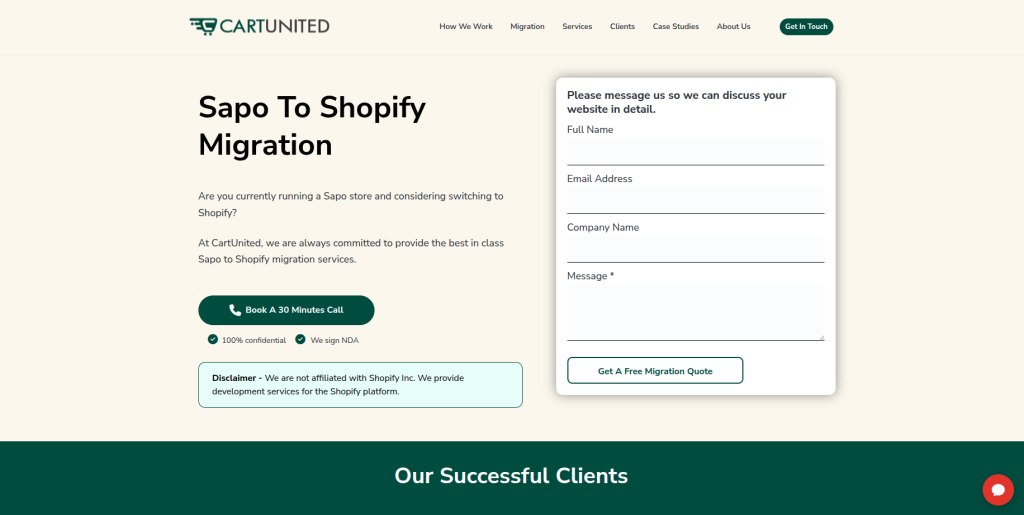
CartUnited is a strong option for businesses that want to move from Sapo to Shopify while also preparing the new store for future growth. A migration may involve much more than product transfer, especially when the existing store contains customer information, order history, images, custom features, SEO pages, or integrations. CartUnited can be considered when businesses want migration and Shopify development handled as part of the same project. The new store should be checked carefully before launch so customers can continue browsing, buying, and managing their accounts. This approach is useful for businesses that want to treat migration as a complete ecommerce project rather than a basic data import.
- Store data migration: Plan the transfer of important product, customer, content, and store information.
- Shopify development: Build and configure the destination Shopify store around business requirements.
- SEO migration planning: Map important Sapo URLs and prepare redirects where page addresses change.
- Store testing: Review products, collections, checkout, payments, shipping, mobile usability, and important customer journeys.
- Best suited for: Businesses looking for an end-to-end Sapo to Shopify migration partner for growing online stores.
Before choosing your final migration approach, businesses can review CartUnited’s complete Sapo to Shopify migration service for growing ecommerce stores to understand how a dedicated migration project can be planned.
2. EbizON Digital
Best for Sapo Migration Projects With Custom Shopify Development Needs
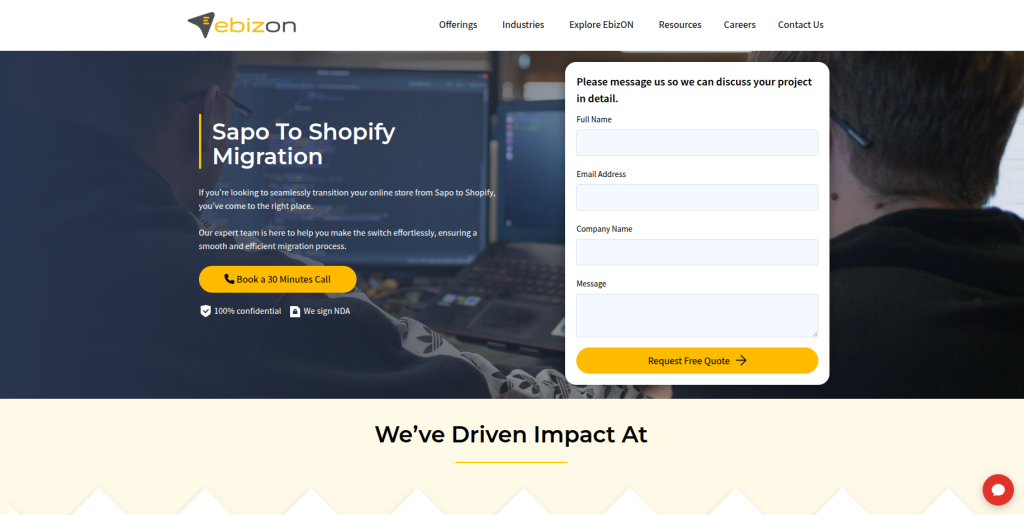
EbizON Digital is worth considering when the move from Sapo involves development work beyond standard data migration. Some stores have custom workflows, integrations, unusual product structures, special checkout requirements, or business systems that need to work with the new Shopify store. In these situations, migration and development need to be planned together. The team should first understand how the existing Sapo store works and then decide what should be transferred, rebuilt, replaced, or improved. This makes EbizON relevant for growing businesses with more complicated ecommerce requirements.
- Custom Shopify development: Useful when standard Shopify functionality does not cover every business requirement.
- Integration planning: Relevant for stores connected to CRM, ERP, marketing, inventory, or other business systems.
- Data migration support: Important store information can be mapped before it is moved to Shopify.
- Store optimization: Migration can also be used to improve important parts of the shopping experience.
- Best suited for: Businesses with custom Sapo to Shopify migration and development requirements.
A growing store may also need technical changes after the data has been transferred. Businesses with these requirements can explore EbizON Digital’s Sapo to Shopify migration and custom development services when planning the project.
3. ZAF Technologies
A Technical Development Option to Evaluate for Sapo Store Migration
ZAF Technologies is one of the providers to evaluate when creating a shortlist for a Sapo to Shopify migration. Before selecting the company, businesses should ask for recent ecommerce migration examples and confirm its current Shopify capabilities. The discussion should cover how products, customers, images, orders, URLs, and custom Sapo data would be handled. It is also important to understand whether migration testing happens in stages before the new store goes live. General web development experience should not automatically be treated as proof of Sapo migration expertise.
- Technical assessment: Ask for a review of the current Sapo setup before agreeing on the migration scope.
- Shopify experience: Request recent Shopify development or migration examples.
- Data planning: Confirm how products, variants, customers, orders, and images would be handled.
- Testing process: Ask how imported data and important buying journeys would be checked.
- Best suited for: Businesses willing to verify technical Sapo to Shopify migration experience before hiring.
4. OneTel
A Web Development Provider to Assess for Shopify Migration Support
OneTel can be evaluated by businesses looking for technical support during an ecommerce platform change. A successful Sapo migration requires a clear understanding of both the existing store and the Shopify store being built. Before choosing OneTel, ask how the team would handle product data, customer information, URLs, store design, apps, payments, and other important ecommerce functions. You should also ask who is responsible for quality checks before launch. Direct evidence of recent Shopify and Sapo migration work should be part of the selection process.
- Migration discovery: The existing store should be reviewed before development begins.
- Shopify capability: Ask for examples of recent Shopify projects with similar requirements.
- Store configuration: Confirm support for products, collections, payments, shipping, and apps.
- Launch testing: Understand how the new store will be checked before customers reach it.
- Best suited for: Businesses comparing web development companies for a Sapo ecommerce migration project.
5. WebInsighter
A Digital Development Option for Sapo to Shopify Store Modernization
WebInsighter is another company businesses can investigate when migration is connected with a wider website improvement project. Moving from Sapo gives store owners a chance to review old content, product organization, navigation, mobile usability, and the overall shopping journey. However, redesigning a store and migrating its data at the same time adds complexity. The company should therefore explain how migration work will be separated from design and development work. Businesses should also verify direct Shopify and Sapo experience before making a final choice.
- Store modernization: Useful to evaluate when migration is connected with broader website improvements.
- Product structure: Ask how existing products and categories will become Shopify products and collections.
- User experience: Review plans for navigation, product pages, mobile layouts, and customer journeys.
- Migration evidence: Request examples involving ecommerce platform changes rather than standard websites only.
- Best suited for: Businesses planning a Sapo to Shopify migration with a wider store refresh.
6. Vivid
A Design-Led Option for Moving an Older Sapo Store to Shopify
Vivid may be worth investigating when the existing Sapo store also needs a visual or user-experience update. Migration can be a useful time to improve an outdated storefront, but design should never distract from data accuracy. Products, variants, customer information, images, important URLs, and checkout functionality still need careful attention. Businesses should ask Vivid to explain how design, development, migration, and testing would be divided during the project. Direct Sapo and Shopify migration experience should be confirmed before engagement.
- Design planning: Consider the company when visual improvement is an important part of the project.
- Mobile experience: Ask how product and collection pages will work across mobile devices.
- Data protection: Confirm who owns product, customer, order, and image migration.
- SEO coordination: Make sure design changes do not ignore existing high-value pages and URLs.
- Best suited for: Brands exploring a design-led Sapo to Shopify ecommerce migration.
7. Supravirtual
A Flexible Development Partner to Investigate for Shopify Migration
Supravirtual can be added to a migration shortlist when a business wants a development partner that can work through its existing technical requirements. The first stage should be discovery rather than immediately rebuilding the store. The team needs to understand Sapo products, customers, orders, content, custom functions, integrations, and SEO requirements before recommending a Shopify setup. Ask how data will be tested after import and what happens if information does not map neatly into Shopify. Direct Sapo migration references should also be requested.
- Technical discovery: Review the existing store structure before agreeing on development.
- Data mapping: Ask how Sapo information will map into Shopify’s data structure.
- Custom requirements: Identify features that need apps, configuration, or custom development.
- Post-launch help: Confirm how migration-related bugs will be handled after launch.
- Best suited for: Businesses seeking a flexible development approach to Sapo Shopify migration.
8. Western Technological
A Technical Option for Sapo Stores With Integration Requirements

Western Technological is worth evaluating when a Sapo store has technical requirements that go beyond a basic storefront. Ecommerce businesses may depend on accounting systems, inventory tools, CRM platforms, payment services, shipping providers, or other applications. Those connections need to be identified before moving the store. The migration company should explain which integrations can connect directly with Shopify and which may need a different solution. Businesses should verify current Shopify experience and specific migration capabilities during discovery.
- Integration review: Identify all systems currently connected to the Sapo store.
- Technical planning: Decide how each important workflow will operate after moving to Shopify.
- Shopify configuration: Confirm capability around store settings, apps, payments, and shipping.
- QA requirements: Test integrations as well as the normal shopping journey before launch.
- Best suited for: Stores considering an integration-heavy Sapo to Shopify migration project.
9. Big Boom Design
A Creative Option for Sapo Migration With Shopify Store Redesign

Big Boom Design may suit businesses that see migration as an opportunity to improve the appearance and usability of their online store. A new Shopify store can give a brand a chance to rethink product presentation, navigation, calls to action, trust elements, and mobile shopping. Still, the migration side of the project must remain a separate priority. Before hiring the company, ask who handles product data, customer records, URLs, redirects, Shopify setup, and technical QA. Direct Shopify migration examples should help determine whether the company fits your requirements.
- Store redesign: Relevant when visual improvement is a major migration goal.
- Product presentation: Review how product and collection pages would be structured.
- Mobile usability: Make sure the new Shopify experience works well on smaller screens.
- Migration ownership: Confirm who is responsible for data, redirects, QA, and technical setup.
- Best suited for: Brands planning a Sapo to Shopify migration together with an ecommerce redesign.
10. Cibeles.net
A Web Development Option to Review for Structured Shopify Migration

Cibeles.net completes this list of companies to investigate for a Sapo to Shopify project. Businesses should evaluate it using the same migration checklist applied to every other provider. That means looking at Shopify knowledge, ecommerce experience, data migration, URL handling, testing, integrations, and support. A detailed discovery process should happen before a fixed scope is approved because every Sapo store can contain different data and customizations. Ask for relevant migration references and a clear explanation of the launch process.
- Migration planning: Look for a documented approach rather than an immediate platform rebuild.
- Data requirements: Confirm handling for products, images, customers, orders, and content.
- Shopify setup: Ask who manages collections, payments, shipping, apps, and store configuration.
- Launch support: Understand the testing, deployment, and post-launch process.
- Best suited for: Businesses comparing structured web development support for Sapo to Shopify migration.
Why Move From Sapo to Shopify?
A business normally changes ecommerce platforms because its requirements have changed.
The store may need easier administration, different integrations, more apps, a redesigned storefront, new sales channels, or a platform that better fits the company’s future plans.
Shopify says its platform is used by millions of businesses across more than 175 countries, and its ecosystem includes more than 21,000 apps. That scale can be useful for merchants looking for a broad ecosystem of commerce tools. (shopify.com)
However, Shopify’s popularity alone is not a reason to migrate.
The move should solve clear business problems. Before starting, list the limitations of the existing Sapo store and decide whether Shopify actually solves them.
How to Choose the Best Sapo to Shopify Migration Company
1. Check Real Ecommerce Migration Experience
Building a new Shopify store and migrating an existing ecommerce business are different jobs.
A migration company needs to understand what happens to existing data and customer journeys. Ask prospective providers how they have handled products, variants, customers, historical orders, images, content, and URLs on previous migration projects.
Shopify itself warns that ecommerce migration can be complicated and says care should be taken to import customer, product, and order records correctly. (Shopify migration guidance)
2. Create a Sapo Data Migration Checklist
Do not start development until you know what needs to move.
Create a migration inventory containing:
- Products
- SKUs
- Variants
- Categories
- Images
- Customers
- Orders
- Reviews
- Discounts
- Pages
- Blog posts
- SEO metadata
- URLs
- Integrations
- Analytics
- Tracking codes
Then label each item migrate, rebuild, replace, remove, or review.
This makes it much easier to compare proposals from different companies.
3. Protect SEO During the Move
SEO deserves its own migration plan.
Changing platforms often changes URLs. If valuable Sapo pages disappear without the correct redirect, both customers and search engines can reach dead pages.
Google’s official site migration guide for websites changing URLs recommends preparing and testing the new site, creating an old-to-new URL map, implementing redirects, updating internal links, submitting the new sitemap, and monitoring the migration.
Google also recommends server-side permanent redirects such as 301 or 308 when a page has permanently moved. (Google’s guide to redirects)
Your migration company should therefore review:
- Important product URLs
- Collection and category URLs
- Content pages
- Pages receiving organic traffic
- Pages with backlinks
- Metadata
- Canonical tags
- Internal links
- Redirects
- XML sitemap
- Robots directives
- Search Console
- Analytics
4. Plan the Shopify Data Import Carefully
Different types of ecommerce data may need different migration methods.
Shopify says store content can be moved manually, through CSV files, migration apps, or custom solutions using Shopify APIs. The right method depends on the type and amount of information being transferred. (Shopify’s ecommerce migration guide)
Shopify also recommends importing products before customers and historical orders when using relevant migration methods so the records can be connected correctly.
This is why your migration company should give you a data-mapping plan instead of simply saying, “We will migrate everything.”
5. Test the New Shopify Store Before Launch
A migration is not finished when the data import finishes.
Shopify recommends placing test orders after payment settings are configured. Testing can cover successful and failed transactions, refunds, cancellations, fulfillment, and other order scenarios. (Shopify migration checklist)
Your QA checklist should also cover:
- Product information
- Prices
- Variants
- Inventory
- Product images
- Collections
- Search
- Navigation
- Customer accounts
- Checkout
- Payments
- Shipping
- Taxes
- Discounts
- Emails
- Forms
- Mobile layouts
- Apps
- Integrations
- Analytics
- Redirects
Customers should not be the people who discover your migration problems.
Common Sapo to Shopify Migration Mistakes
Migrating Everything Without Cleaning the Store
Migration is a good opportunity to remove old products, outdated pages, unused content, and unnecessary data.
Shopify’s own migration guidance suggests reviewing the current store and deciding what should actually move rather than automatically carrying everything into the new environment.
Ignoring Old URLs
One of the biggest SEO mistakes is building the new Shopify store first and thinking about redirects afterward.
Create the old-to-new URL map before launch.
Google recommends mapping existing URLs to their new destinations and using permanent redirects for pages that have permanently moved. Google also advises avoiding irrelevant redirects, such as sending many unrelated old pages to the homepage.
Forgetting Custom Sapo Features
Your existing store may contain functionality that does not have a direct Shopify equivalent.
Identify custom features early and decide whether each one should be:
- Recreated
- Replaced with a Shopify app
- Rebuilt using custom development
- Simplified
- Removed
Doing this during discovery prevents surprises late in the project.
Skipping Post-Launch Monitoring
The first few days after migration are important.
Monitor orders, checkout errors, payment problems, redirects, traffic, indexing, analytics, customer questions, and important integrations.
Google recommends monitoring traffic on both the old and new sites during a site move and using Search Console to watch how the migration is processed.
Questions to Ask a Sapo to Shopify Migration Company
Before signing a contract, ask:
- Have you migrated ecommerce stores to Shopify before?
- Have you worked directly with Sapo?
- What Sapo data can you migrate?
- How will products and variants be mapped?
- Can historical customer and order data be moved?
- How will images be migrated?
- What happens to custom Sapo functionality?
- How will you protect existing SEO?
- Will you create an old-to-new URL map?
- Who implements and tests redirects?
- How will apps and integrations be selected?
- Will there be a test migration?
- How will checkout and payments be tested?
- What happens if data is missing after migration?
- What support is provided after launch?
A company that can answer these clearly is easier to evaluate than one that gives a very low price without explaining the process.
How Much Does Sapo to Shopify Migration Cost?
There is no single useful price for every migration.
The cost depends on factors such as:
- Number of products
- Number of variants
- Customer records
- Historical orders
- Images
- Content pages
- Custom Sapo features
- Shopify theme requirements
- Custom development
- Third-party integrations
- SEO requirements
- Redirect volume
- Design changes
- Testing
- Post-launch support
A small store using mostly standard features will usually be simpler than a large store with thousands of products and several custom systems.
Ask companies to inspect your current store before providing the final migration scope.
FAQs About Sapo To Shopify Migration
1. What is Sapo To Shopify Migration?
Sapo To Shopify Migration is the process of moving an ecommerce store from Sapo to Shopify. It may include products, variants, customers, images, historical orders, content, URLs, SEO information, and other store data. The exact migration scope depends on how the Sapo store has been configured.
2. What data can be moved from Sapo to Shopify?
Products, SKUs, descriptions, prices, variants, images, customer information, historical orders, pages, and other store information may be candidates for migration. Not every data type can always be moved in exactly the same form. Shopify supports several migration methods, including CSV files, migration apps, and custom API-based solutions. (Shopify migration documentation)
3. Can I migrate Sapo to Shopify without losing SEO?
A carefully planned migration can reduce SEO risk, but no company should promise that rankings will never fluctuate. Google says significant site moves can cause temporary ranking changes while new URLs are crawled and indexed. Proper URL mapping, permanent redirects, internal-link updates, sitemaps, testing, and monitoring are important. (Google site-move documentation)
4. Do I need 301 redirects when moving from Sapo to Shopify?
If existing URLs change permanently, redirects are usually important. Google recommends permanent server-side redirects such as 301 and 308 for permanently moved pages when technically possible. Each important old URL should lead to its most relevant new destination rather than sending everything to the homepage. (Google redirect guidance)
5. Can customer data be migrated from Sapo to Shopify?
Customer information may be migrated depending on the available source data and migration method. Shopify supports customer migration through options including CSV imports, migration tools, and APIs in appropriate cases. Sensitive data and customer account behavior need to be reviewed carefully during planning.
6. Can historical orders be migrated to Shopify?
Shopify supports approaches for migrating historical orders, but the method depends on the project. Shopify notes that import order can matter because products and customers may need to exist before historical orders can be correctly connected to them. This should be discussed with the migration company before work begins.
7. How long does Sapo to Shopify migration take?
The timeline depends on store size and complexity. Product count, variants, customers, orders, custom functionality, integrations, design changes, SEO work, and testing can all affect the schedule. A company should inspect the current Sapo store before giving a reliable timeline.
8. Should I redesign my store while migrating to Shopify?
You can, but doing both together creates more moving parts. A redesign can improve an outdated store, while keeping the design closer to the existing experience may simplify the migration. The right approach depends on your goals, budget, timeline, and current store quality.
9. What should be tested after Sapo to Shopify migration?
Check products, variants, prices, images, collections, inventory, customers, checkout, payments, shipping, taxes, discounts, forms, emails, mobile pages, analytics, apps, integrations, redirects, metadata, and important organic landing pages. Shopify also recommends placing test orders before launch.
10. How should I choose a Sapo to Shopify migration company?
Compare companies based on relevant ecommerce migration experience, Shopify knowledge, Sapo understanding, data-mapping methods, SEO planning, testing, integrations, communication, and post-launch support. Ask for evidence of similar work and a detailed migration scope before making the decision.
Conclusion
A Sapo To Shopify Migration can give your business a new ecommerce foundation, but the quality of the move depends heavily on planning.
Products need to arrive correctly. Customers and orders need careful handling. Important URLs need mapping. Redirects need testing. Payments, shipping, taxes, apps, integrations, analytics, and checkout all need to work before customers reach the new store.
Shopify’s official migration process itself emphasizes importing and verifying store data, configuring the store, testing transactions, setting up the domain, and addressing SEO before completing the move.
The companies in this list offer different types of technical, development, design, and ecommerce capabilities. CartUnited and EbizON Digital have been included as the dedicated service options provided for this comparison, while the other eight companies should be evaluated directly for current Sapo-specific and Shopify migration experience.
Before choosing any provider, request a written migration plan covering data, Shopify development, SEO, redirects, testing, launch, and post-launch support. That gives you a much better way to compare companies than price alone.