
Top 10 Shein To Shopify Migration Companies
Moving your ecommerce business to Shopify can give you more control over your store, products, customer experience, marketing, and brand.
But a Shein To Shopify Migration needs careful planning.
Products, images, descriptions, variants, SKUs, prices, collections, customer information, URLs, SEO data, and integrations may all need attention. Even a small mistake can create missing products, broken links, incorrect prices, or a poor shopping experience.
Shopify’s official guide for migrating an ecommerce store to Shopify recommends reviewing your existing store first and deciding exactly what data and content should move. Shopify lists products, customers, historical orders, gift cards, blogs, and pages among the information businesses may need to consider during a migration.
That is why choosing the right migration company matters.
Below are 10 Shein To Shopify Migration Companies and development partners to evaluate in 2026. CartUnited and EbizON are included because of their dedicated SHEIN-to-Shopify migration offerings. For the other companies, verify direct SHEIN migration experience before signing a contract.
Best Shein To Shopify Migration Companies in 2026
The 10 companies covered in this guide are:
- CartUnited
- EbizON Digital
- Maatya
- Katharos Techie
- Pinnacle Technologies
- Akantik
- Famewell
- Cybetiq
- Lucuma Agency
- Forefront Industries
The right company depends on your product catalog, data volume, custom requirements, design needs, SEO traffic, integrations, budget, and the level of Shopify development required after migration.
Why Move From SHEIN to Shopify?
Selling through a large commerce platform or marketplace can help a business reach shoppers. But as your brand grows, you may want more control over the buying experience.
A Shopify store gives a business its own ecommerce environment. You can organize products, build collections, create landing pages, manage content, configure payments and shipping, install apps, and develop a shopping experience around your brand.
The biggest benefit is control.
Instead of building your whole customer journey around another commerce ecosystem, you can create a store where your brand is front and center.
A Shopify migration may make sense if you want:
- More control over your ecommerce brand
- A dedicated online storefront
- Better control over product presentation
- More flexibility for marketing campaigns
- More control over customer journeys
- Custom Shopify functionality
- A stronger content and SEO strategy
- More options for integrations
- Better ownership of your store experience
- More room to scale your ecommerce operation
A migration, however, should not simply copy everything without review. It is also a chance to clean your catalog, improve product information, reorganize collections, and remove information you no longer need.
What Should Be Planned Before a SHEIN to Shopify Migration?
Start by creating an inventory of everything that needs to move or be rebuilt.
Your migration list may include:
- Products
- Product titles
- Product descriptions
- Product images
- SKUs
- Prices
- Variants
- Inventory information
- Categories or collections
- Customer information
- Content pages
- SEO metadata
- Existing URLs
- Reviews where technically and legally transferable
- Payment configuration
- Shipping rules
- Analytics
- Marketing integrations
Shopify explains that different data types may need different migration methods. Depending on the data and its complexity, migration can involve manual transfer, CSV files, migration apps, or a custom solution using Shopify APIs.
Shopify also notes that import order can matter. For applicable migrations, products should be imported before customers and historical orders so relationships between the records can be maintained.
How We Evaluated These Shein To Shopify Migration Companies
Not every web development company is automatically a migration specialist.
For this list, the most important factors are relevance to ecommerce, Shopify or web development capabilities, migration planning, data handling, custom development, SEO awareness, integrations, QA, and post-launch support.
Where a company does not publicly document direct SHEIN-to-Shopify migration experience, that should be verified before hiring.
A company should be able to explain what it can migrate, what needs rebuilding, what cannot be transferred directly, and how it will test the finished Shopify store.
1. CartUnited
A Focused SHEIN to Shopify Migration Partner for Product and Store Data Transfer
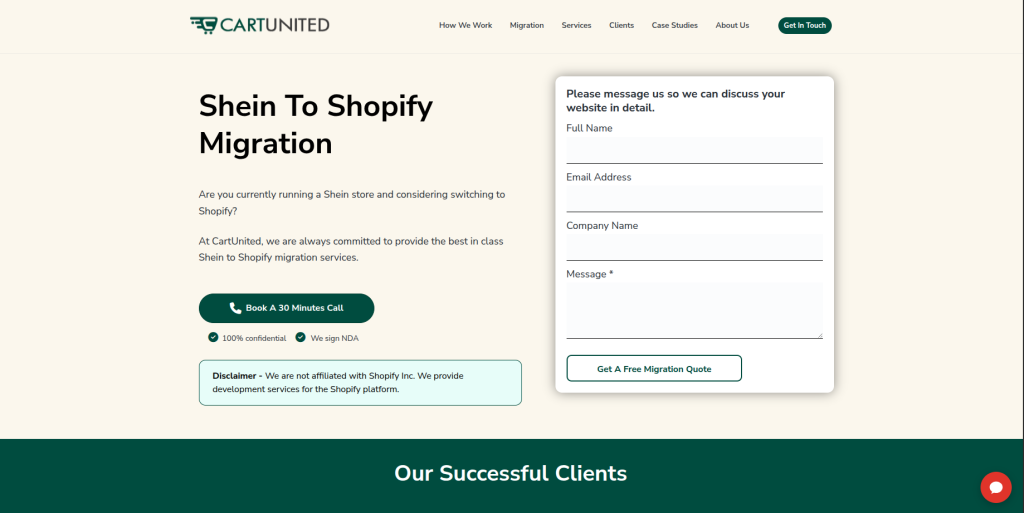
CartUnited is the most directly migration-focused option on this list for businesses planning to move from SHEIN to Shopify. The migration should start by reviewing the existing product catalog and identifying what information can be moved into Shopify. Products, images, variants, pricing, collections, and important store information all need careful mapping. The new Shopify environment should also be tested before customers begin using it. This makes CartUnited worth evaluating when the main goal is a focused ecommerce platform migration.
- Migration focus: Built around moving ecommerce businesses between different platforms.
- Product data planning: Useful for mapping product titles, descriptions, SKUs, images, variants, and pricing.
- Shopify store setup: The project can include preparing the destination Shopify environment.
- Migration testing: Product data and important shopping functions should be checked before launch.
- Best suited for: Businesses seeking a specialized SHEIN to Shopify store migration partner.
Before beginning the project, businesses can review CartUnited’s SHEIN to Shopify migration service for moving product catalogs and building an independent Shopify store to understand how the service fits their requirements.
2. EbizON Digital
End-to-End SHEIN to Shopify Migration With Custom Ecommerce Development
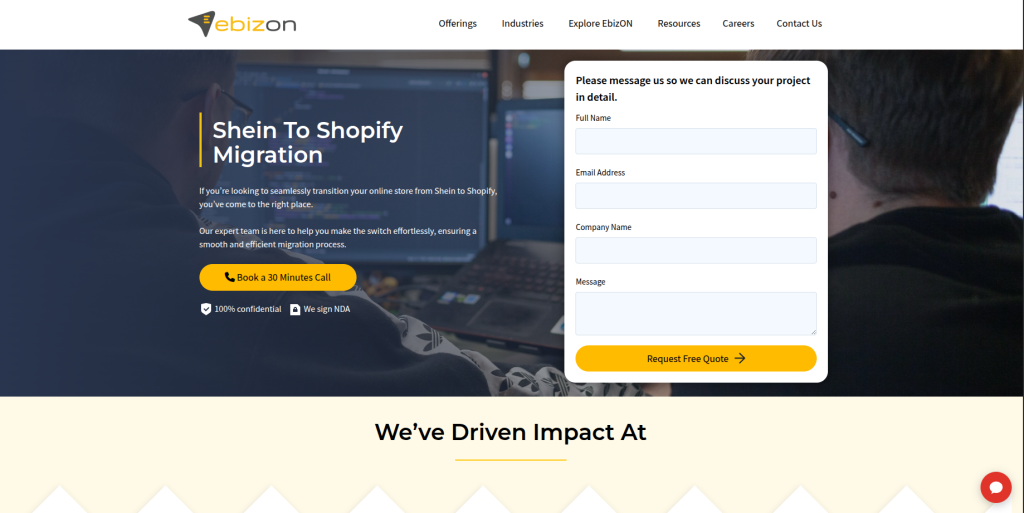
EbizON Digital is worth considering when the project goes beyond moving products into a new Shopify store. Some businesses need a new storefront, custom features, app integrations, payment configuration, shipping setup, analytics, or broader ecommerce development at the same time. That makes an end-to-end development approach useful for more complex projects. Businesses should document existing workflows and decide which ones need to be moved, replaced, or improved. This approach can work well for growing brands that want migration and Shopify development handled as one project.
- End-to-end development: Useful when migration and Shopify development are required together.
- Custom functionality: Relevant for stores that need special features after moving to Shopify.
- Integration planning: Important for businesses connecting marketing, analytics, payments, or business systems.
- Store improvement: Migration can also be used to improve the customer journey and storefront.
- Best suited for: Growing brands with custom SHEIN to Shopify migration and development requirements.
3. Maatya
Website and Ecommerce Support for Businesses Building a New Shopify Presence
Maatya provides website-building and ecommerce-related support, but its publicly available information does not establish it as a dedicated SHEIN-to-Shopify migration specialist. Its website services focus on responsive websites, UI/UX, website management, and digital support. Public information also shows ecommerce support involving Shopify product listings and order processing. This may be useful for businesses that need ongoing operational help around an ecommerce store. Direct SHEIN migration experience should be confirmed before choosing Maatya for this specific project.
- Website development: Publicly offers website development and design services.
- Ecommerce support: Its ecommerce-related VA services mention Shopify support and product listing updates.
- UI/UX capabilities: Relevant when the new store also needs presentation improvements.
- Experience to verify: Ask for direct Shopify migration and SHEIN-related project examples.
- Best suited for: Businesses needing website and ecommerce operational support around a Shopify move.
4. Katharos Techie
Full-Stack Development Support for Complex Ecommerce Migration Requirements
Katharos Techie publicly offers full-stack web application development and includes ecommerce and marketplace platforms within its development services. Its capabilities cover front-end and back-end engineering, APIs, web systems, and custom applications. Those skills can become useful when a migration includes custom workflows or connections with other systems. However, broad web application expertise is not the same as verified SHEIN-to-Shopify migration experience. Businesses should ask for relevant Shopify examples and a detailed migration approach before selecting the company.
- Full-stack development: Offers both front-end and back-end development capabilities.
- Ecommerce platforms: Publicly includes ecommerce and marketplace development among its services.
- API development: Relevant when the Shopify store must communicate with external systems.
- Experience to verify: Request direct Shopify migration and SHEIN-related experience.
- Best suited for: Businesses with technically complex ecommerce migration and integration needs.
5. Pinnacle Technologies
A Development Provider to Assess for Structured Shopify Store Migration
Pinnacle Technologies is one of the companies supplied for this comparison, but businesses should qualify its exact SHEIN and Shopify migration experience directly. A platform migration requires more than general web development because product relationships, images, variants, URLs, customer data, and store functionality may behave differently after the move. The team should explain how data will be extracted, cleaned, mapped, imported, and tested. It should also identify which existing features need to be rebuilt in Shopify. Ask for relevant migration examples before making a final choice.
- Technical assessment: Request an audit of the existing ecommerce setup before migration begins.
- Data mapping: Ask how product fields and variants will map into Shopify.
- Shopify configuration: Confirm who handles store, theme, payment, shipping, and app setup.
- Experience to verify: Request recent Shopify migrations with similar catalog complexity.
- Best suited for: Businesses willing to validate Shopify migration capabilities through technical discovery.
6. Akantik
Custom Ecommerce Development for Shopify Stores With Special Requirements

Akantik publicly offers custom ecommerce development and specifically lists Shopify among the platforms it works with. Its ecommerce services also cover storefront design, product and inventory management, payment gateways, custom plugins, and integrations. Those capabilities can be useful when the new Shopify store needs more than a basic product import. The company also advertises ongoing ecommerce support after deployment. Direct SHEIN migration experience should still be checked because custom ecommerce development alone does not prove experience with this exact migration path.
- Shopify development: Shopify is publicly listed among its ecommerce platforms.
- Custom storefronts: Relevant when the new store requires a branded customer experience.
- Payment integrations: Public services include payment gateway integration capabilities.
- Ongoing support: Offers maintenance, performance optimization, and feature development.
- Best suited for: Businesses needing custom Shopify development alongside an ecommerce migration.
7. Famewell
Digital Experience and Ecommerce Design for Brand-Led Store Transformation

Famewell presents ecommerce and digital experience work in its public portfolio, including projects involving ecommerce platforms and retail experiences. This makes it interesting when moving to Shopify is also an opportunity to rethink the way a brand looks and feels online. Design, navigation, product discovery, and customer experience can all be reviewed during migration. However, its public portfolio should not be treated as evidence of direct SHEIN-to-Shopify migration expertise. Businesses should verify platform-specific development, migration, and data-handling capabilities separately.
- Ecommerce experience: Its public work includes ecommerce and retail-focused digital projects.
- Experience design: Relevant when migration includes a major customer experience refresh.
- Brand presentation: Useful for businesses that want a stronger visual identity after moving.
- Experience to verify: Ask specifically about Shopify and platform-to-platform migration projects.
- Best suited for: Brands combining ecommerce migration with a wider digital experience redesign.
8. Cybetiq
Ecommerce Development Support for Shopify Migration and Store Customization
Cybetiq publicly provides ecommerce, web development, software development, and digital marketing services. Its ecommerce information discusses responsive design, cart functionality, content management, and payment gateway integrations. These are useful capabilities when building or improving an ecommerce storefront. For a SHEIN-to-Shopify move, businesses should go further and ask about Shopify-specific experience, migration tools, data mapping, and SEO handling. Direct evidence of comparable migration projects should be reviewed before signing the project.
- Ecommerce development: Publicly provides ecommerce development services.
- Payment integrations: Offers payment gateway integration as part of ecommerce development.
- Custom web development: Relevant for stores requiring additional technical work.
- Experience to verify: Confirm Shopify-specific and SHEIN migration experience.
- Best suited for: Businesses looking for ecommerce development support around a Shopify migration.
Businesses with more complicated requirements can also compare EbizON’s custom SHEIN to Shopify migration and ecommerce development support for growing online stores when assessing development-heavy migration options.
9. Lucuma Agency
Migration and SEO Awareness for Businesses Concerned About Organic Traffic
Lucuma Agency has publicly written about website migrations and protecting SEO during platform changes. Its migration content discusses ecommerce platform moves, product data, variants, prices, inventory, images, customers, historical orders, categories, coupons, and reviews. That background is relevant because SEO and data structure are major concerns during a Shopify migration. However, the public material reviewed does not prove dedicated SHEIN-to-Shopify delivery experience. Businesses should therefore ask for specific Shopify migration examples, data-handling methods, and post-launch SEO monitoring.
- Migration awareness: Public content discusses technical considerations involved in website migrations.
- SEO consideration: Relevant when organic traffic protection is a major concern.
- Ecommerce understanding: Its migration content discusses ecommerce data and platform changes.
- Experience to verify: Ask for direct SHEIN-to-Shopify project examples and Shopify development capability.
- Best suited for: Businesses that place SEO protection high on their ecommerce migration checklist.
10. Forefront Industries
A Provider to Qualify for Custom SHEIN to Shopify Migration Requirements
Forefront Industries completes the requested company list, but its exact fit should be confirmed through direct technical qualification before starting a SHEIN-to-Shopify project. A migration provider needs to understand the source data, Shopify’s product structure, images, variants, collections, URLs, integrations, and launch process. Ask the team to explain the complete migration workflow instead of relying on a general development proposal. A test migration can also help identify data problems before the final move. Relevant Shopify examples should be requested as part of the selection process.
- Discovery process: Ask for a detailed review of your existing store and data.
- Migration planning: Confirm how products, images, variants, and other records will be handled.
- Shopify knowledge: Verify theme, app, checkout, payment, and shipping experience.
- Experience to verify: Request recent Shopify migrations with comparable requirements.
- Best suited for: Businesses prepared to verify migration expertise before selecting a development provider.
What Data Can Be Moved to Shopify?
The answer depends on what data you have access to and how it is structured.
Shopify’s official migration guidance lists products, customers, historical orders, gift cards, blogs, and pages among the data types businesses may consider moving from another ecommerce platform.
Products may include:
- Product names
- Descriptions
- SKUs
- Prices
- Images
- Variants
- Inventory information
- Tags
- Other supported product information
Shopify’s official product CSV import guidance explains that CSV files can be used when switching to Shopify from another platform and recommends backing up product data before beginning an import.
Do not assume every field from the old system has a perfect Shopify equivalent. Custom fields and unusual product structures may require transformation or custom development.
Protect SEO During a SHEIN to Shopify Migration
SEO deserves its own migration plan.
If existing pages are indexed by Google or receive organic traffic, changing their URLs without a proper plan can create problems.
Create a list of important old URLs and map each one to the most relevant new Shopify URL.
Google’s official site migration guide for changing URLs recommends preparing and testing the new site, creating an old-to-new URL map, setting up redirects, and monitoring traffic after the move.
Google also recommends server-side permanent redirects when possible and warns against sending many unrelated old URLs to one irrelevant destination.
Your SEO migration checklist should cover:
- Important product URLs
- Category or collection URLs
- High-traffic pages
- Pages with backlinks
- Meta titles
- Meta descriptions
- Canonical URLs
- Internal links
- Image URLs where relevant
- XML sitemaps
- Redirects
- Indexability
- Analytics
- Google Search Console
Shopify also recommends setting up redirects for important pages to help preserve search visibility after migration.
How Product Migration to Shopify Works
There is no single method that fits every store.
A small catalog might be handled differently from a store containing thousands of products and variants.
Shopify supports CSV-based product imports, and its official guide to using CSV files for Shopify products explains that CSV files can import large numbers of products and their details at once.
A migration team may use:
- Manual transfer for a very small amount of content.
- CSV files for suitable structured data.
- A migration app.
- Shopify APIs or custom migration tools.
- A combination of methods.
The migration company should explain why its chosen method fits your data rather than simply choosing the fastest approach.
How to Choose a SHEIN to Shopify Migration Company
Choosing the right partner becomes much easier when every company answers the same questions.
1. Ask About Direct Migration Experience
Do not stop at “we develop Shopify websites.”
Ask whether the company has moved stores from other ecommerce systems into Shopify. Then ask whether it has worked specifically with SHEIN-related product data or workflows.
Request examples where possible.
2. Ask How Product Data Will Be Handled
Products are usually one of the largest parts of the project.
Ask how the team will handle:
- Product names
- SKUs
- Descriptions
- Images
- Prices
- Variants
- Inventory
- Collections
- Tags
- Custom information
A sample migration of a small number of products can reveal problems early.
3. Ask About Shopify Store Setup
Importing products does not create a finished ecommerce store.
Your Shopify setup may also require:
- Theme configuration
- Navigation
- Collections
- Payment gateways
- Shipping
- Taxes
- Apps
- Policies
- Customer accounts
- Analytics
- Marketing tracking
- Email notifications
Shopify’s migration checklist itself includes product verification, design, shipping, taxes, payment setup, test orders, domain configuration, and SEO.
4. Check the SEO Migration Plan
Ask the provider how old URLs will be mapped to new Shopify URLs.
Google recommends preparing a URL map and using permanent redirects to the corresponding new pages during a site move.
Do not accept a plan that simply sends every old URL to the Shopify homepage.
5. Ask About Testing
The migration should be tested before launch.
Check:
- Products
- Product variants
- Prices
- Images
- Inventory
- Collections
- Navigation
- Search
- Cart
- Checkout
- Payments
- Shipping
- Taxes
- Mobile layouts
- Forms
- Apps
- Analytics
- Redirects
Place test orders before opening the new store to customers.
6. Check Post-Launch Support
Problems do not always appear during staging.
Ask who will monitor the store after launch and how quickly migration-related problems will be fixed.
The first few days should include checks for broken links, missing images, incorrect product information, failed redirects, analytics problems, and checkout errors.
Common SHEIN to Shopify Migration Mistakes
Moving Everything Without Cleaning the Catalog
Migration is a good opportunity to remove old, duplicate, or unnecessary product information.
Shopify itself suggests reviewing existing content and deciding what is worth moving before starting a migration.
Ignoring Product Variants
Size, color, style, and other options can make product migration more complicated than it first appears.
Test products with multiple variants before importing the whole catalog.
Forgetting SEO Redirects
If old URLs have search visibility, backlinks, or direct traffic, they need attention.
Create your URL map before launch, not afterward.
Launching Without Test Orders
A homepage that looks perfect does not prove the store works.
Test the full journey from product page to cart, checkout, payment, confirmation, and email.
Forgetting Customer Data Limitations
Not every piece of customer or order history can simply be recreated in Shopify through a standard CSV.
For example, Shopify’s customer import documentation explains that customer profiles can be imported using CSV files, but Shopify cannot import a customer’s order and spending history from other ecommerce platforms through that customer CSV process.
Your migration company should explain these limitations before the project begins.
SHEIN to Shopify Migration Checklist
Before launch, use this simple checklist:
- Back up available source data
- Audit products and variants
- Clean duplicate product information
- Create the Shopify store
- Plan the new store structure
- Map product fields
- Import sample products
- Review sample migration
- Complete product migration
- Configure collections
- Configure theme
- Set up navigation
- Configure payment gateways
- Configure shipping
- Configure taxes
- Install required apps
- Map old and new URLs
- Create redirects
- Update internal links
- Configure analytics
- Test mobile pages
- Test search
- Test cart
- Place test orders
- Check payment flow
- Check emails
- Review SEO settings
- Launch the store
- Monitor errors after launch
FAQs
1. What is Shein To Shopify Migration?
Shein To Shopify Migration is the process of moving suitable ecommerce information, product data, and business workflows associated with your SHEIN-based selling operation into an independent Shopify store. The exact information that can be moved depends on what data is available and how it can be exported or accessed.
2. Can I move SHEIN products to Shopify?
Product information may be moved or recreated in Shopify when you have the necessary rights and access to the product data. Products can include titles, descriptions, SKUs, prices, images, variants, and inventory information. The exact migration method depends on the source data and Shopify requirements.
3. Which is the best Shein To Shopify Migration company?
The right company depends on your migration scope. CartUnited has a dedicated SHEIN-to-Shopify migration offering, while EbizON also provides a dedicated service for this migration path. For other providers, verify direct SHEIN and Shopify migration experience, data handling, SEO planning, QA, and post-launch support before making your decision.
4. How long does SHEIN to Shopify migration take?
The timeline depends on catalog size, variants, images, data quality, custom features, integrations, design work, and testing. A small catalog can be much easier than a store with thousands of products and complex business requirements. A technical audit is the best way to estimate the timeline.
5. Can product images be migrated to Shopify?
Product images can be added to Shopify when the files or valid image sources are available and you have the right to use them. The migration team should check image quality, product associations, loading, and mobile presentation after import.
6. Can customer data be moved to Shopify?
Shopify supports importing customer profiles through customer CSV files. However, Shopify notes that order and spending history from other ecommerce platforms cannot be imported as part of the standard customer CSV process. More complex historical data requirements may need another migration method.
7. Will moving to Shopify affect SEO?
A platform move can affect organic visibility, especially when URLs change. Google recommends mapping old URLs to new destinations, using appropriate permanent redirects, testing the new site, and monitoring traffic after migration. Temporary ranking changes can happen while Google processes the move.
8. Should I redesign my store during migration?
You can, but changing too many things at once can make problems harder to diagnose. Google recommends changing one major thing at a time where practical during site moves. If a full redesign is needed, your migration company should plan development and testing carefully.
9. Can Shopify import products using CSV files?
Yes. Shopify supports importing products through CSV files. Its documentation says CSV imports are useful when switching from another ecommerce platform or making bulk changes to product and inventory information. Always back up your product data before starting a major import.
10. What should I test after migrating to Shopify?
Check products, variants, prices, images, collections, navigation, search, customer accounts, cart, checkout, payment gateways, shipping, taxes, mobile layouts, analytics, apps, emails, URLs, and redirects. You should also place test orders before opening the store to customers.
Conclusion
A Shein To Shopify Migration can help a growing ecommerce business build a more independent store and gain greater control over its brand, products, content, marketing, and customer experience.
But the move needs a clear plan.
Start by identifying exactly what information you have available and what needs to move. Then decide what should be imported, rebuilt, redesigned, or left behind.
Shopify’s own migration guidance recommends reviewing your existing store, choosing the right transfer method for each type of data, checking imported products, configuring shipping, taxes and payments, placing test orders, setting up the domain, and planning SEO.
SEO also needs special care. Google’s site-move documentation recommends testing the new site, mapping old URLs to new ones, using appropriate redirects, and monitoring traffic after launch.
When comparing the companies above, do not choose based only on a company description or price.
Ask for evidence of relevant Shopify migrations, a clear data-mapping plan, an SEO migration plan, testing procedures, launch support, and a written explanation of what can and cannot be migrated.
That gives you a much better chance of launching a Shopify store that is accurate, easy to use, and ready for long-term growth.